Need help?
Do you have a question about the Callaway Golf uPro and is the answer not in the manual?
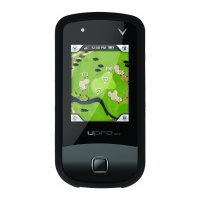
Provides an overview of the location and functionality of inputs and outputs.
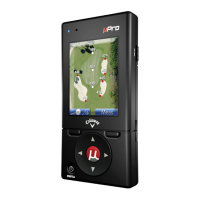
Illustrates the physical buttons and their labels on the Callaway uPro device.
Detailed explanation of the function of each button on the Callaway uPro.
Describes LEDs, USB connector, headphone jack, and microphone on the device.
Lists the necessary computer system specifications for using the Callaway uPro.
Step-by-step instructions for charging the battery of the Callaway uPro device.
Instructions on how to connect the uPro to a computer for registration and syncing.
Step-by-step guide to registering the Callaway uPro online.
Details on purchasing course credits and searching/buying golf courses.
Process for syncing courses and managing them on the uPro device.
Instructions on how to access and play the introductory video on the device.
Methods for powering the Callaway uPro device on and off.
Description of the Main Menu screen and its options.
How to select a golf course from the list on the uPro device.
Explanation of the aerial video flyovers for each hole in Pro Mode.
Details on Basic Mode, including Green View and Hazard View.
Features and functionality of the advanced ProMode on the Callaway uPro.
Options and methods for changing holes during a golf round.
Options to alter device functionality, including backlight and power settings.
Customization options for how the uPro operates to suit the user's game.
Changes modes between Play Mode and Preview Mode, and views Introductory Video.
View information about the uPro, including serial number and firmware revision.
How to access and exit the Settings Menu while playing a round of golf.
Enables Preview Mode by selecting Play/Preview from the Mode Select menu.
Uses the VR button to cycle through demo points for simulated play experience.
 General
| Hazard Information | Yes |
|---|---|
| Shot Measurement | Yes |
| Scorekeeping | Yes |
| Water Resistance | Yes |
| Preloaded Courses | 30, 000+ worldwide |

 To Next Page