uPro User Guide (v1.4) ©2009 Callaway Golf Company Page 44 of 45
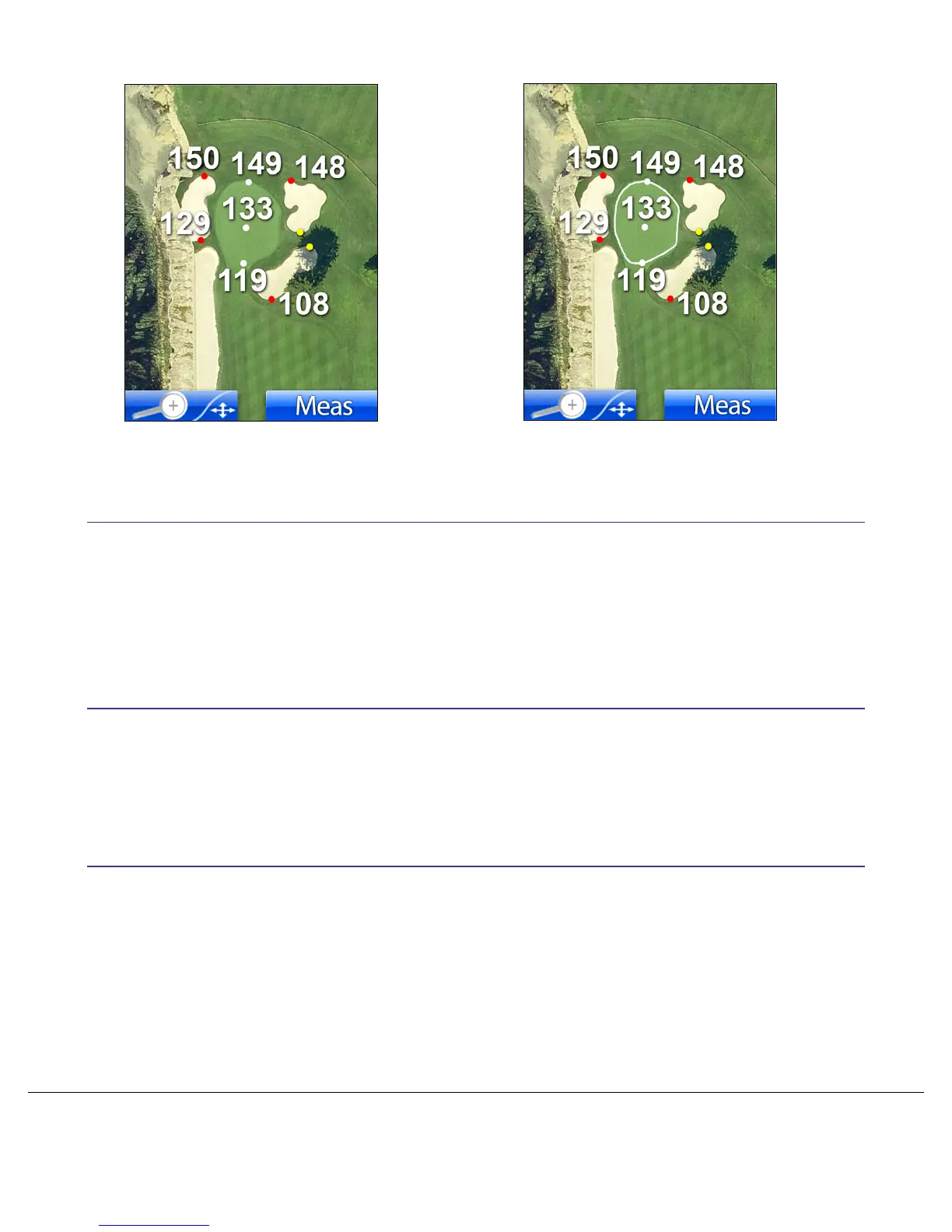
Figure 30: Pro Mode With and Without Green Outline
3.3 Mode Selection
Choosing the Mode option from the Settings Menu provides the ability to change modes between Play
Mode and Preview Mode, a mode of operation described later in this document. In addition, the Mode
menu allows you the option of viewing the Introductory Video.
3.4 Info Screen
Choosing the Information option from the Settings Menu allows you to view information about your uPro.
This information includes the serial number, firmware revision, etc.
3.5 Exiting the Settings Menu during Play
At times it is necessary to access the Settings menu while during a round of golf. This is done by simply
pressing the Menu button while in ProMode or Basic Mode. Returning from the Settings Menu is achieved
by pressing the Right LCD Select button. When in one of the Settings menus during a round of golf you will
see the label “Exit” in the bottom right corner of the display.


 To Next Page