Receiver Operating Instructions
Pairing Method of Portable Receiver --- VP02
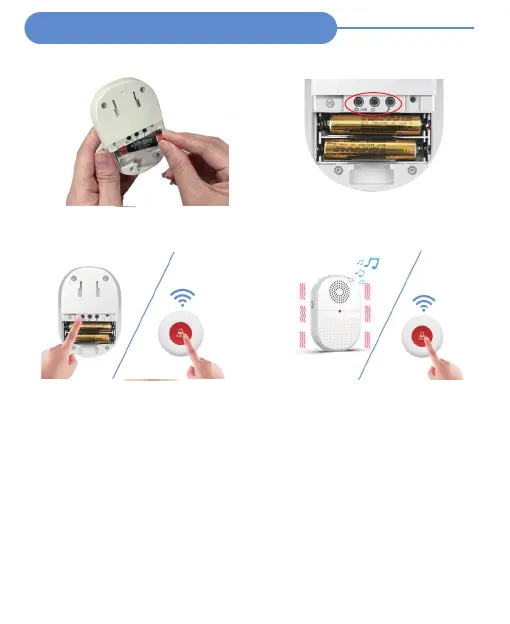
Turn on the portable receiver
Put 2 AAA batteries (included in the package)
into the receiver, then the receiver turns ON.
Select your wanted setting
Setting your wanted chimes, volume, and
vibration before pairing
Pairing
Long press [Setting &Volume] until you hear
“DI” to into the pairing mode
Short press call button, will hear a"Di Di"
Paired
Press call button again to confirm the
setting is successful
NOTE:
1) The device has been paired before leaving the factory, please test the working range
before use.
2) Press [SOS Button], and the receiver will be alerted and flashing.
3) After testing, you can use the device as needed.
4) The pairing process of E-01A,DB19 and BT007 transmitters is the same. Follow the steps
shown in the figure above.
5) If your first pairing fails, please try to re-pair once time, pairing may be disturbed by
other signals.
6) If an abnormal sound occurs during use, please clear the setting and re-pair.
7) If you buy more extra receivers and transmitters, you need to pair the new units with
your original units, then they can work together.
8) The default ringtone is "Ding-Dong".If you want to change the ringtone, you need to
reset the receiver, then select the ringtone you want, and then re-pair it.


 To Next Page
 Loading...