Need help?
Do you have a question about the Caltta PH660 and is the answer not in the manual?
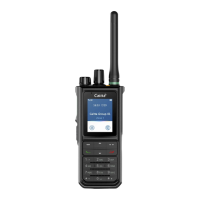
Diagram and description of the radio's physical parts and their labels.
Explanation of programmable keys and their customizable functions.
Instructions for turning the radio on/off and adjusting volume.
How to select zones and switch between working channels.
Methods to lock and unlock the radio's keypad.
Instructions for initiating and answering private calls.
Instructions for initiating and answering group calls.
Information on compatible main software versions for the radio.
Precautions for proper use, environment, and avoiding hazards.
Guidelines for safe battery handling, charging, and maintenance.
Safety regarding EMI and usage in sensitive environments like hospitals.
Precautions for transmission, antenna, emergency calls, and usage posture.
Guidelines for transmitting, body-worn configuration, and accessory usage.
 General
| Frequency Range | UHF: 400-470 MHz |
|---|---|
| Channel Capacity | 1024 |
| Battery Capacity | 2000 mAh |
| Operating Temperature | -30°C to +60°C |
| Weight | 280 g |

 To Next Page