Need help?
Do you have a question about the Cambridge Audio CXN and is the answer not in the manual?
Notifies when new firmware is available for the network streamer.
Shows MQA indicator status, referring to the MQA section for details.
Steps to search for and assign up to 99 Internet Radio stations as presets.
Step-by-step guide to pair mobile devices and laptops with the player via Bluetooth.
Instructions for using AirPlay to stream audio from Apple devices.
Guide to controlling AirPlay audio streams directly from the device's Control Center.
Instructions on using your phone, tablet, or computer as a remote for Spotify.
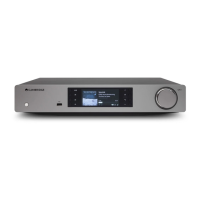
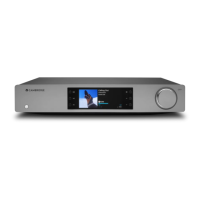
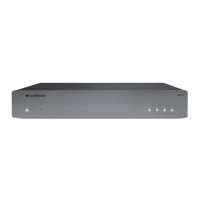
The CXN100 is a network streamer designed to provide high-quality audio playback from a variety of sources, including network-connected devices, internet radio, and built-in streaming services. It integrates seamlessly into a home audio system, allowing users to stream music from their home network, the internet, and various connected inputs.
The CXN100 serves as a central hub for digital audio, capable of receiving and decoding audio streams from numerous sources. Its primary function is to deliver high-fidelity sound, leveraging MQA (Master Quality Authenticated) technology to ensure playback that is faithful to the original master recording. The device supports a wide range of audio file types, including ALAC, WAV, FLAC, AIFF, DSD (x256), WMA, MP3, AAC, HE AAC AAC+, and OGG Vorbis, making it compatible with most digital audio libraries.
The network streamer is designed for ease of use, with control primarily managed through the StreamMagic app, available for both Apple and Android devices. This app allows users to navigate sources, manage playback, and configure settings. The CXN100 also features Chromecast built-in, enabling integration with Google Home and allowing users to cast audio from hundreds of compatible apps directly to the device. AirPlay 2 support further enhances its connectivity, providing a seamless streaming experience for Apple users.
For internet radio enthusiasts, the CXN100 offers extensive functionality, allowing users to search, store, and recall up to 99 favorite stations as presets. This feature can be managed through the StreamMagic app or, if applicable, via a remote control. The device's display provides real-time information about the currently playing track, artist, album, format, source input, and network connection status, ensuring users are always informed about their audio experience.
The CXN100 offers a rich set of usage features designed to enhance the listening experience:
StreamMagic App Control: The StreamMagic app is the primary interface for controlling the CXN100. After initial setup, which involves connecting the player to a network and selecting a preferred language, the app allows users to manage all aspects of the device. This includes selecting sources, browsing internet radio stations, accessing streaming services, and playing content from network and USB drives. The app also facilitates firmware updates, ensuring the device remains current with the latest features and security protocols.
Google Home / Chromecast Built-in: With Chromecast built-in, the CXN100 transforms a smartphone or tablet into a remote control. Users can tap the Cast button in their favorite audio apps to stream music, podcasts, and playlists. This feature eliminates the need for new logins or downloads within the CXN100 ecosystem, simplifying access to a vast library of content from services like Pandora, Spotify, and YouTube Music. Multi-room casting with other Chromecast-enabled speakers is also supported, allowing for synchronized audio playback throughout the home. Voice control via "Hey Google" is also available for casting content.
Internet Radio: The CXN100 provides access to a wide array of internet radio stations. Users can search for stations via the StreamMagic app, add custom URL links, and store up to 99 presets. These presets can be easily recalled, offering quick access to preferred stations. The display shows the radio station name and current playback information, along with the streaming bitrate.
Bluetooth Connectivity: The Bluetooth source allows for wireless audio streaming from most phones, tablets, and laptops. Pairing is straightforward: users add a Bluetooth source via the StreamMagic app, select the CXN100 from their mobile device's Bluetooth settings, and connect. Once paired, the device can be reconnected at any time by selecting the Bluetooth source on the player and then choosing the CXN100 from the list of previously connected devices.
AirPlay 2: For Apple users, AirPlay 2 provides an intuitive way to stream audio. After connecting the CXN100 to the network and adding it to the Apple Home app, users can AirPlay from any compatible app on their iPhone or iPad. This allows for multi-room audio, synchronized playback across different rooms, and volume control directly from Apple devices or via Siri.
Built-in Streaming Services: The CXN100 supports several popular streaming services, including Spotify Connect, TIDAL, Qobuz, and Deezer.
MQA (Master Quality Authenticated): The CXN100 incorporates MQA technology, enabling playback of MQA audio files and streams. The front panel display indicates MQA status with green or blue lights: green signifies that the unit is decoding and playing an MQA stream or file, ensuring provenance to the source material, while blue indicates playback of an MQA Studio file, which has been approved by the artist/producer or verified by the copyright owner.
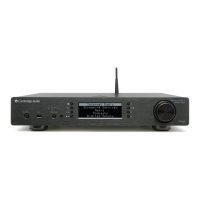
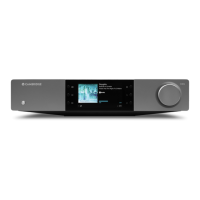
Display Information: The device's display provides comprehensive information, including album/source artwork, track title, artist, album, format info (streaming sample rate or bitrate for internet radio), source input, progress bar, track time, and a clock. It also shows network connection status (wireless, wired, or no connection) and indicators for speaker output, mute volume, and firmware updates.
Maintaining the CXN100 is primarily focused on ensuring continuous connectivity and timely software updates:
Firmware Updates: The CXN100 is designed for continuous improvement through regular firmware updates. The display indicates when new firmware is available, prompting users to press the 'Info' button on the front panel or use the StreamMagic app to initiate the update process. It is critically important to keep the device connected to a Wi-Fi network as often as possible to receive these updates. Regular updates are essential for maintaining security protocols, ensuring third-party compatibility, and accessing the latest software requirements. Failure to update the firmware can void the product warranty and potentially lead to operational issues over time.
Network Connectivity: The reliability of the CXN100's streaming functions heavily depends on a stable network connection. Users are advised to ensure their device remains connected to a Wi-Fi network. The display provides visual cues about the network connection status, helping users troubleshoot any connectivity issues. It is recommended to avoid using powerline adapters or Wi-Fi signal boosters/extenders if possible, as these can sometimes disrupt network reliability. The device is also not compatible with captive portal networks.
App-Based Management: The StreamMagic app not only controls playback but also facilitates maintenance tasks, such as managing internet radio presets (adding or removing stations) and ensuring streaming service accounts are properly linked and updated. This centralized control simplifies the management of the device's various functions.
 General
| Type | Network Audio Player |
|---|---|
| DAC | Dual Wolfson WM8740 |
| Streaming Services | Spotify Connect, TIDAL, Qobuz, Internet Radio |
| Standby Power Consumption | <0.5W |
| Digital Filter | 2nd Generation ATF2 up-sampling |
| Analogue Filter | 2-Pole Dual Differential Bessel |
| Inputs | USB, Coaxial, Optical |
| USB Audio Input | USB Type B |
| Digital Audio Inputs | Optical, Coaxial |
| Outputs | Analogue, Digital |
| Analogue Audio Outputs | Balanced XLR, Unbalanced RCA |
| Digital Audio Outputs | Optical, Coaxial |
| Supported Formats | ALAC, WAV, FLAC, AIFF, WMA, MP3, AAC, HE AAC, AAC+, OGG Vorbis |
| Compatibility | UPnP, Airplay |
| Control | Cambridge Connect App, IR Remote |
| Ethernet | 10/100 Mbps |
| Wi-Fi | IEEE 802.11 b/g/n (2.4GHz) |
| Dimensions | 85 x 430 x 305mm (H x W x D) |
| Weight | 3.5 kg |
| Sample Rates | Up to 24-bit/192kHz |

 To Next Page