EasyManua.ls Logo

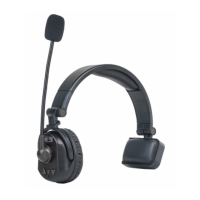
CAME-TV KUMINIK8 - User Manual

Default Icon
24 pages
Print Icon
To Next Page IconTo Next Page
Loading...
V 2.4.1
USER MANUAL
KUMINIK8
Question and Answer IconNeed help?

Do you have a question about the CAME-TV KUMINIK8 and is the answer not in the manual?

Summary

Parameters

Operating Instructions

Power On;Off

Instructions for powering the headset on and off, including button presses and indicator behavior.

LED Indicators

Explanation of LED colors and their meaning for master and remote headsets.

Microphone Boom

Details on how to use the microphone boom for muting and talking.

Volume Control

How to adjust the audio volume using the '+' and '-' buttons.

Optimize Communication Effect

KUMINIK8 with HUB Set

Product Details

Battery Compartment

Pairing Instructions

KUMINIK8 Pairing Steps

Step-by-step guide for pairing KUMINIK8 headsets, including master and remote connection.

Kuminik8 with Hub Pairing Instructions

Pairing Steps for Different Group Remotes

Instructions for pairing different groups of remotes with Hub M1, M2, and Master A.

NOTES

FCC Regulatory Compliance

Aftersales Services

Summary

Parameters

Operating Instructions

Power On;Off

Instructions for powering the headset on and off, including button presses and indicator behavior.

LED Indicators

Explanation of LED colors and their meaning for master and remote headsets.

Microphone Boom

Details on how to use the microphone boom for muting and talking.

Volume Control

How to adjust the audio volume using the '+' and '-' buttons.

Optimize Communication Effect

KUMINIK8 with HUB Set

Product Details

Battery Compartment

Pairing Instructions

KUMINIK8 Pairing Steps

Step-by-step guide for pairing KUMINIK8 headsets, including master and remote connection.

Kuminik8 with Hub Pairing Instructions

Pairing Steps for Different Group Remotes

Instructions for pairing different groups of remotes with Hub M1, M2, and Master A.

NOTES

FCC Regulatory Compliance

Aftersales Services

CAME-TV KUMINIK8 Specifications

General IconGeneral
Talk Time8 hours
Driver Size40 mm
Impedance32 Ohms
ColorBlack
Connection3.5 mm
Frequency Response20 Hz to 20 kHz
MicrophoneBuilt-in

Related product manuals