Need help?
Do you have a question about the CAME MTMNA and is the answer not in the manual?
Procedure to change the master code for device programming and access control.
Sequence to erase all stored user IDs and codes from the device.
Procedure to link a user ID with a specific access code to relay-switch 1.
Method to delete all user codes assigned to relay-switch 1.
Procedure to link a user ID with a specific access code to relay-switch 2.
Method to delete all user codes associated with a user ID for relay-switch 2.
Configure the activation time for relay-switch 1 in seconds.
Configure the activation time for relay-switch 2 in seconds.
Procedure to set the color of the device's LED indicators.
Adjust the brightness level for the device's LED indicators.
Configure the audio tone output for device feedback.
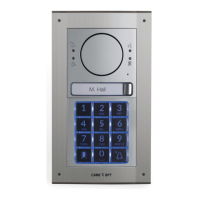
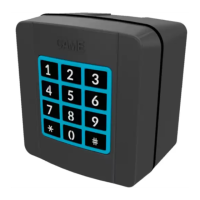
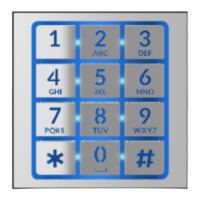
The CAME BPT MTMNA is a keypad module designed for access control, offering a robust and versatile solution for managing entry to various premises. This device is engineered to provide secure and convenient access through numerical codes, making it suitable for a wide range of applications, from residential buildings to commercial establishments.
The primary function of the MTMNA keypad module is to grant or deny access based on user-defined numerical codes. It operates in two main modes: Master Mode and Slave Mode, each offering distinct functionalities and programming methods.
In Master Mode, the MTMNA acts as a standalone access control unit, allowing for direct programming and management of user codes and device settings. This mode is ideal for installations where local control and configuration are preferred. Users can be assigned unique IDs (between 1 and 999), and each user ID can have one or more associated alphanumerical access codes, ranging from four to eight digits in length. These codes can be configured to activate either one or both of the device's relay-switches, providing flexibility in controlling different access points or functions. The system supports up to 3,500 distinct number codes, ensuring ample capacity for a large number of users.
Key programming functions available in Master Mode include:
In Slave Mode, the MTMNA integrates into a larger access control system, typically connected via a CAN BUS, and its programming is managed externally using PCSXIP software. This mode is suitable for complex installations requiring centralized control and advanced system integration. In Slave Mode, the device's ID code can be sent to the system by typing a specific sequence, facilitating its identification and configuration within the network.
The MTMNA keypad module is designed for straightforward operation, offering two primary methods for entering access codes:
Upon successful entry of a valid code, the device provides clear feedback: a confirmation beep will sound, and a green light will illuminate, indicating that access has been granted. Conversely, an incorrect code entry will result in three quick beeps and a red light, signaling a denied access attempt. This intuitive feedback system ensures users are immediately aware of the outcome of their access attempt.
The keypad's illuminated buttons enhance usability, especially in low-light conditions. The flashing of the button lighting during certain programming phases, such as restoring factory defaults, provides visual cues to the user about the device's operational status.
Maintaining the MTMNA keypad module involves several key aspects to ensure its longevity and reliable performance:
The MTMNA keypad module is a robust and user-friendly access control solution, offering flexible programming options, clear operational feedback, and essential maintenance guidelines to ensure secure and reliable access management.
 General
| Category | Keypad |
|---|---|
| Manufacturer | CAME |
| Model | MTMNA |
| Number of Buttons | 12 |
| IP Rating | IP54 |
| Operating Voltage | 12-24V AC/DC |

 To Next Page