ESC < > ENTER
94F
ESC < > ENTER
i
A B GND
A B GND
MASTER
SLAVE
MASTE
ENGLISH
p.
28 - Manual code:
119G 3 565 E N ver.
2.0 09/2012 © CAME Cancelli Automatici S.p.A. - The data and information in this manual may be changed at any time and without prior warning.
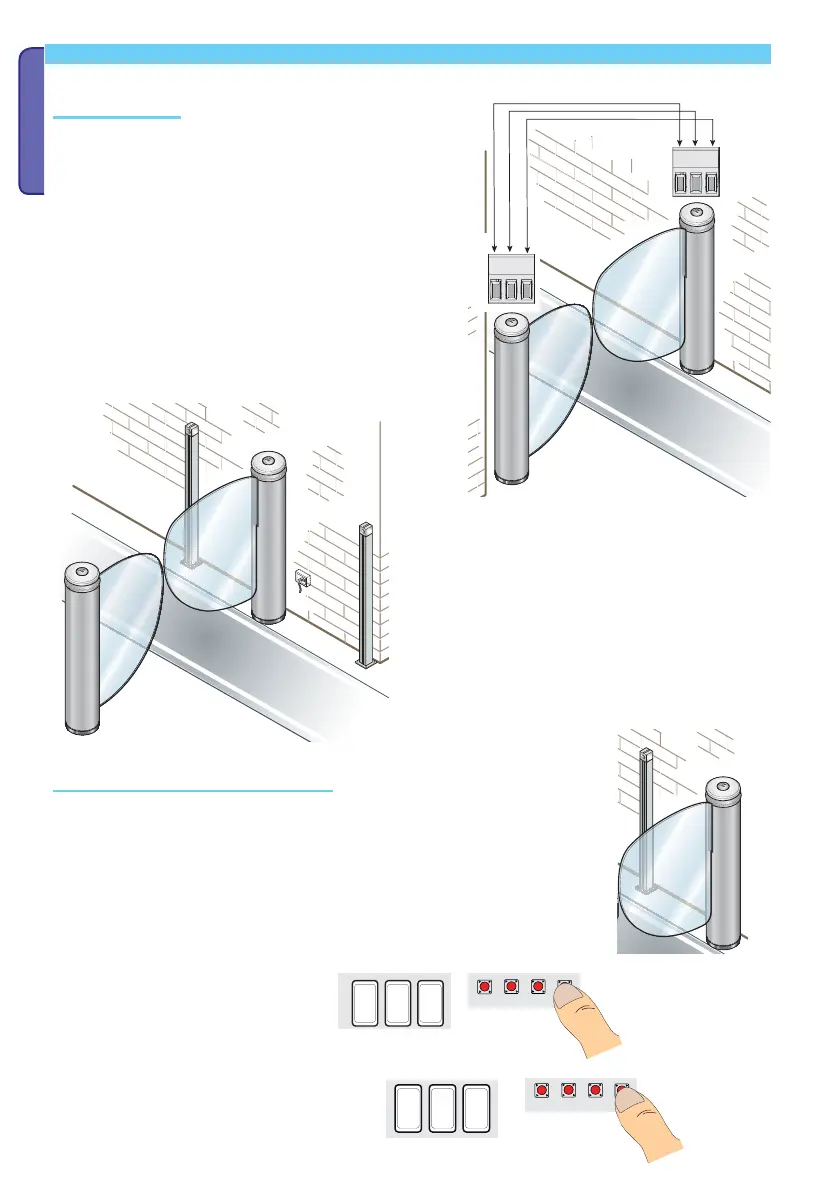
Combined connection
Specifi c connections
Turnstile (MASTER) settings and confi guration
Connect the two (TOR 200) cards with a multi-coupling braided
unscreened (CAT 5 - U/UTP -AWG 24) cable on terminals
A-B-GND.
Connect all of the necessary devices on the
T
OR 200 card of the MASTER turnstile.
Set the features and adjustments only on the MASTER turnstile card.
Configure the card as the MASTER.
Select feature F 49 Press ENTER to
confirm.
Set to 1 = combined and press Enter



 To Next Page