Need help?
Do you have a question about the CAME ZC4 and is the answer not in the manual?
Details the ZC4 command board's suitability for 230V single-phase automations up to 600W.
Information regarding photocell connections for re-opening and total stop functions.
Covers other functions like auto-closing and adjustments for gate control.
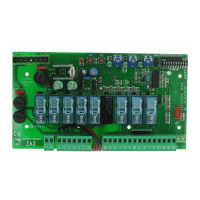
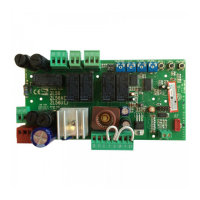
Lists and identifies the primary components of the ZC4 control board.
Details terminal block assignments for external connections and board functions.
Details connections for 230V AC power input and single-phase 230V AC motor.
Explains connections for 230V AC output, 12V electric lock, and 24V accessories.
Describes connections for signal lamps indicating gate status (open/closed).
Details connections for stop pushbuttons and radio/button control inputs.
Explains connections for safety inputs (re-opening) and limit switch signals.
Describes the connection for the radio frequency antenna.
Instructions for coordinating direction and settings for two combined motors.
Details the electrical connections required between two control panels for combined motors.
Notes that the radio frequency board is not provided for combined installations.
Selection of "Operator Present" and automatic closing functions.
Adjustment of automatic closing time using the T.C.A. trimmer (3-120 seconds).
Instructions for adjusting motor torque by moving a specific faston.
Steps for assembling hinges, inserting the housing, and securing it.
Instructions for snapping the cover onto hinges and securing it with screws.
Details dimensions for ABS enclosures 001S4339 and 001S4340.
Steps for inserting the AF board, encoding transmitters, and storing codes.
Table listing compatible transmitter frequencies and corresponding AF boards.
Instructions for encoding ATOMO series transmitters (AT01 - AT02).
Instructions for encoding TOP (T432M, T312M, T434M, T314M) and TAM transmitters.
Procedure for storing transmitter codes using the PROG button and observing LED signals.
 General
| Brand | CAME |
|---|---|
| Model | ZC4 |
| Category | Controller |
| Language | English |


 To Next Page