
 Need help?
Do you have a question about the Camelbak FLOW METER and is the answer not in the manual?
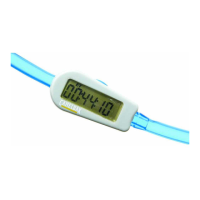
Details the front view of the display unit, including buttons and screen.
Shows the back of the display unit, highlighting attachment rails and battery compartment.
Illustrates the fluid sensor components like one-way valve, impeller, and barb connectors.
Instructions and illustration for installing the battery, including removing the tab.
Selects units for fluid measurement (Ounces or Liters) during initial setup.
Guides on entering the total volume of water for the reservoir for accurate measurement.
Option to enable or disable advanced program functions during initial setup.
Steps to cut the drink tube and install the fluid sensor with correct orientation.
Details functions like Amount Consumed (AC) and Amount Remaining/Total Volume (AR/TV).
Explains functions like Elapsed Time (ET), PHG, AG, and ETE in advanced mode.
Resets all program data and erases previous activity logs.
Resets remaining volume and estimated time to empty after refilling reservoir.
Quickly switch between Ounces (OZ) and Liters (L) for fluid units.
Allows quick adjustment of the Personal Hydration Goal at any time.
 General
| Brand | Camelbak |
|---|---|
| Model | FLOW METER |
| Category | Measuring Instruments |
| Language | English |

 To Next Page