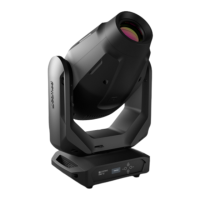
CONTROLS AND DISPLAY:
1
POWER IN
Neutrik powerCON power input socket. Operating voltage 110 - 240 V AC / 50 - 60 Hz. Connection via the
supplied powerCON power cord.
2
POWER OUT
Neutrik powerCON power output socket. Used to supply power to additional CAMEO projectors.
3
DMX IN
3-pin XLR socket for connection of a DMX controller (e.g., DMX mixer).
4
DMX OUT
3-pin XLR socket for looping through the DMX control signal.
5
DMX IN
5-pin XLR socket for connection of a DMX controller (e.g., DMX mixer).
6
DMX OUT
5-pin XLR socket for looping through the DMX control signal.
7
MODE
Selection of the standalone functions, DMX modes, and DMX address.
8
ENTER
Makes it possible to change a value and confirm changes.
9
UP AND DOWN BUTTONS
Press the UP and DOWN buttons, for example, to change microphone sensitivity, strobe speed, or
DMX address.
10
LIT LC DISPLAY
Displays the operating mode and values of individual functions.
11
FUSE HOLDER
IMPORTANT INFORMATION: Always replace the fuse only with a fuse of the same type with the same rating
(printed on the device). If the fuse blows repeatedly, please contact an authorised service centre.


 To Next Page