Home
Camera
Digital Camera
Bullet 6S
Page 7
Camera Bullet 6S - Page 7
14 pages
Manual
Save Page as PDF
To Next Page
To Next Page
To Previous Page
To Previous Page
Loading...
6
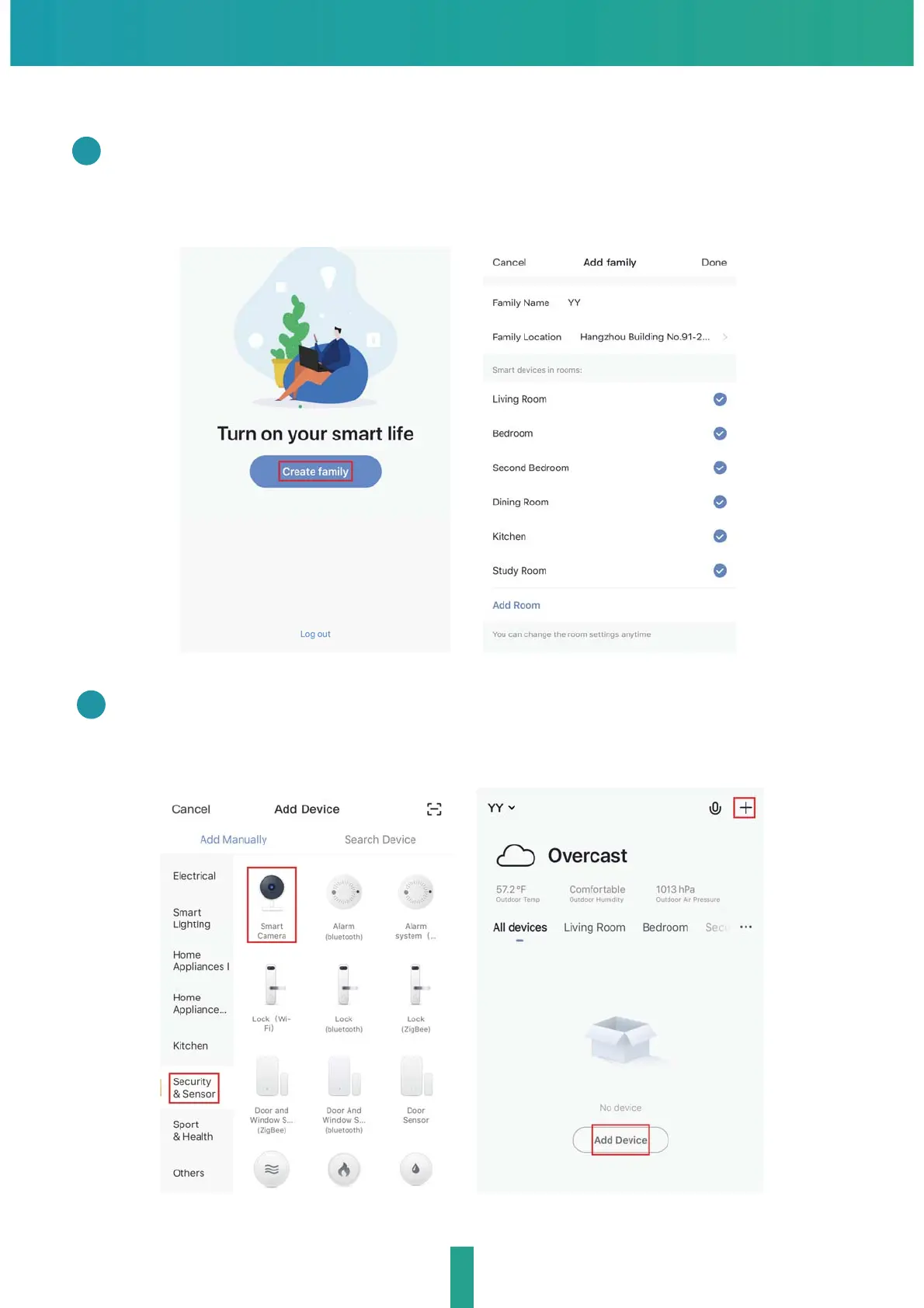
QR Code Configuration
Open the Smart Life App, click "Create family", and you can customize
the Family name and related settings .
1
Continue to click "Security & Sensor" >> "Smart Camera",and the
n
choose"Add Device" or "+",ready to add camera.
2
6
8
Related product manuals
Camera Powershot SX230 HS
212 pages


 To Next Page