7
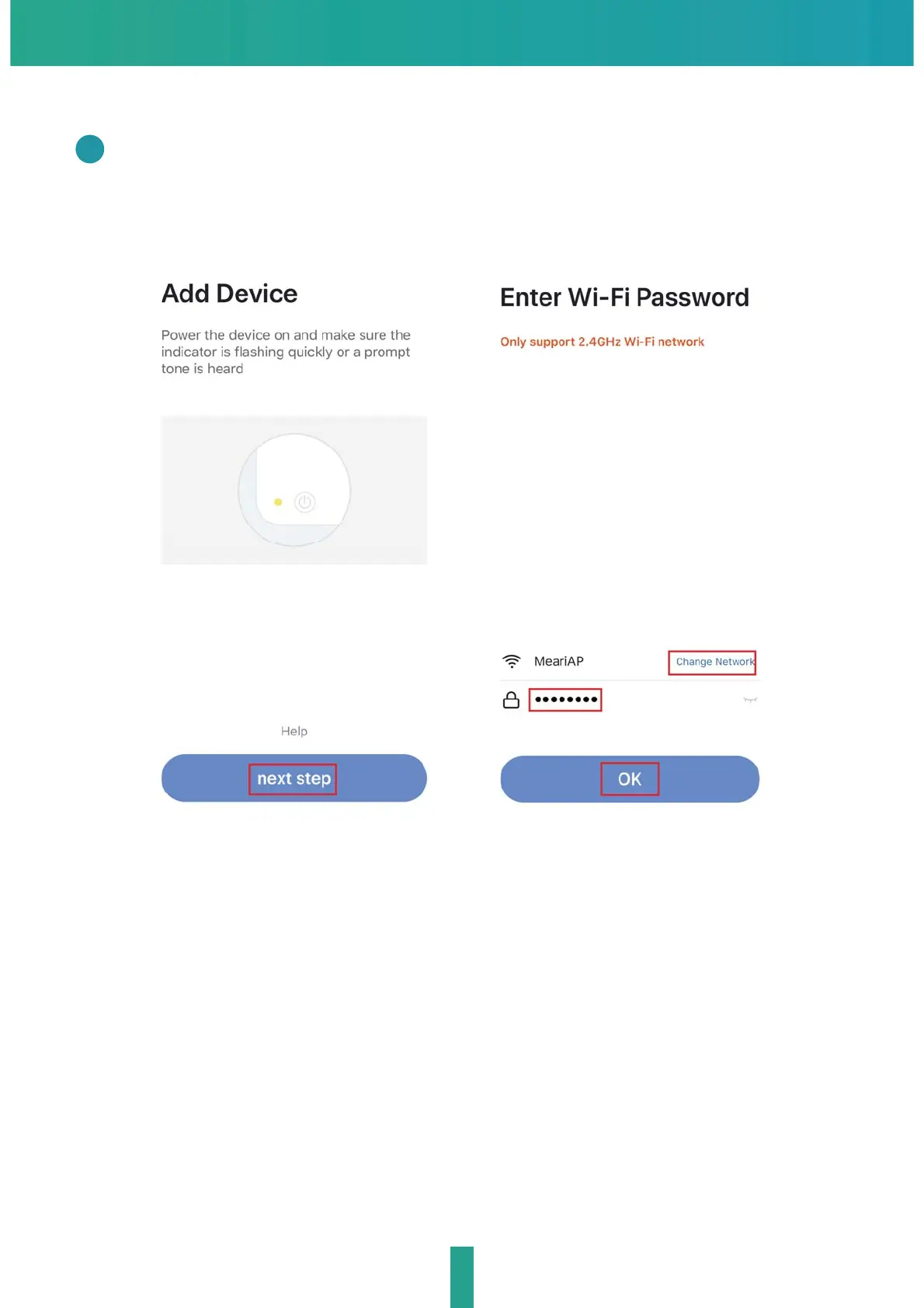
QR Code Configuration
In "Add Device" this interface,continue to click "next step",and then you
should input your WiFi's passwords.
3
Note:
1) Camera only supports 2.4GHz WiFi network.
2) The number of bits in the ssid and passwords of the router
should not exceed 24 digits.


 To Next Page