Need help?
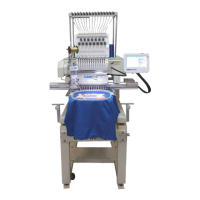
Do you have a question about the CamFive EMB HT1502 and is the answer not in the manual?
Ensure designs are in DDB or DST format on USB for machine operation.
Steps to prepare a flat item, like a shirt, for embroidery process.
Adjusting design orientation for correct placement on various materials.
Initiating the embroidery process after confirming design setup.
Routine lubrication points and schedule for the embroidery machine.
 General
| Type | Embroidery Machine |
|---|---|
| Number of Heads | 1 |
| Number of Needles | 15 |
| Maximum Speed | 1200 SPM |
| Speed | 1200 SPM |
| Display | LCD |
| USB Port | Yes |
| Needle | 15 |


 To Next Page