Installation Guide
1.B efore installation, please insert a high speed memory card in
the unit and format the memory card in the unit setting, also do
a simple test to make sure the unit is working perfectly.
2. Mount the mirror over the original rearview mirror and use the
included rubber ring to fix it(The front lens base is stretchable,
it can be pulled out sideways when necessary ). Make sure the
mirror is in the right place and secured.
3. Adjust the mirror angle according to your driving position, make
sure the mirror is right in place and the view is clear.
4. Adjust the angle of the lens.Make sure you get best coverage
over the hood and the road ahead, so you can record what
happens.
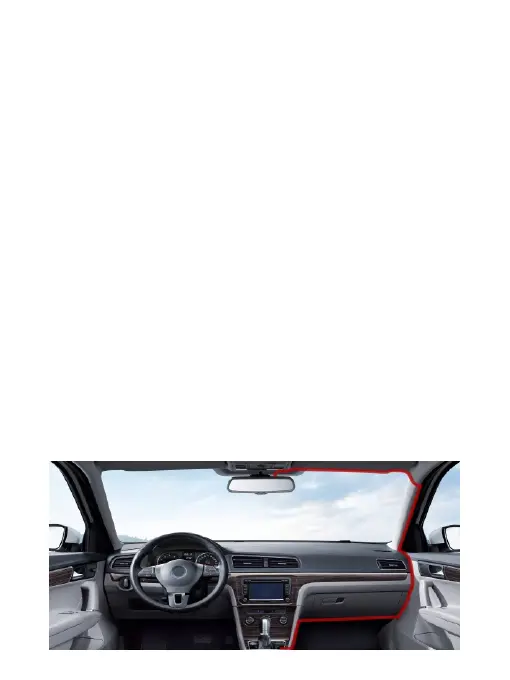
5. Connect the power adapter to the mirror and the cigarette
lighter, then route the power cable along the interior trim board,
you can route it as indicated below, and hide the excess cable in
the gaps for good looking.
2



 To Next Page