EasyManua.ls Logo

CAMPARK T45A - User Manual

CAMPARK T45A
36 pages
Print Icon
To Next Page IconTo Next Page
Loading...
T45A Trail Camera
Instruction Manual

Questions and Answers

Summary

PACKING LIST

INTRODUCTION

Features Of Wildlife Camera

Details the CMOS sensor, resolution, LCD, and IR LEDs of the camera.

Applications Of Wildlife Camera

Lists applications like hunting, observation, security, and surveillance.

STRUCTURE

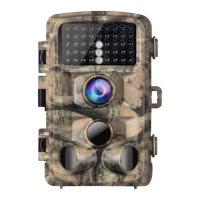
Infrared LEDs

Identifies the infrared LEDs on the camera's front panel.

Lens

Identifies the camera lens on the front panel.

Motion Sensors

Identifies the front, left, and right motion sensors on the camera.

PREPARING THE CAMERA

USING THE CAMERA AND SETUP MENU

Using The Camera

Details the functions of the operating buttons in recording mode.

Operating Buttons

Explains the functions of each button in recording mode.

Mode Switch

Describes how to shift switches to choose between Power off, Setup, and Live modes.

Setup Menu

Configuration options for camera settings and operation.

Setup Menu

Mode

Selects photo, video, or photo+video capture when motion is detected.

Photo Resolution

Allows selection of photo resolution (20M to 5M) and provides storage estimates.

Photo Series

Sets the number of photos taken in succession when triggered.

Video Resolution

Selects video resolution (4K lite to 480P) and notes storage requirements.

Video Length

Specifies the duration of video recordings triggered automatically or manually.

Audio Recording

Turns the operational beep sound on or off.

Shot Lag

Sets the delay between detecting motion and capturing the first shot.

Sensitivity of Motion Sensors

Adjusts sensitivity (High, Medium, Low) based on environmental interference.

Target Recording Time

Sets specific start and end times for daily camera operation.

Time Lapse

Enables time-lapse photography by setting time intervals for capturing images.

Language

Allows selection of the menu language from a list of options.

Time & Date

Sets the time, date, and their display formats for photo/video metadata.

Photo Stamp

Enables or disables the display of a watermark on photos.

Password Protection

Sets a 4-digit password to lock the camera, with a reset procedure.

Beep Sound

Turns the operational beep sound on or off.

Format Memory Card

Formats the memory card, recommending computer formatting first.

Serial No.

Sets a 4-digit serial number to identify camera location in photos.

Reset Settings

Resets all camera settings to their default values.

Version

Displays the current firmware version number of the camera.

Playback and File Management

Covers reviewing, deleting, and slideshow playback of photos and videos.

ENTERING LIVE MODE

Adjusting And Installing The Camera

Guides on positioning the camera for optimal detection angle and range.

Setting Up The Live Mode

Explains how to set up the camera for live mode operation and its behavior.

Connection to Computer

TECHNICAL SPECIFICATION

SIMPLE TROUBLE SHOOTING

Care

Storage

CAMPARK T45A Specifications

General IconGeneral
BrandCAMPARK
ModelT45A
CategoryScouting Camera
LanguageEnglish

Related product manuals