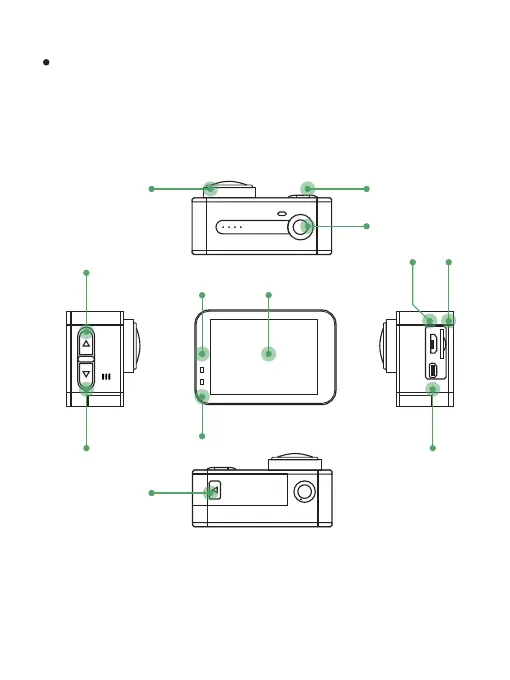
Button Function and Interfaces:
1. St atus Indicator
2. Ch arging Indicator
4. OK / S hutter
3. LC D Touch Screen
5. UP / W iFi Switch
6.D own
8. Ba ttery Cover
7.P ower / Mode
9. Le ns
10. M icro USB
12. H DMI Output
11. M icro SD Card Slot
The V30 record video in 4K ultra HD resolution with high bitrate.
To ensure normal function of the camera, please use high speed
memory card, The writing speed should be at least 10 MB/ second,
UHS 3 card are recommended.
5
6
1
2
3
4
7
9
10 11
12
8
2



 To Next Page