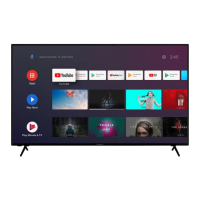
Need help?
Do you have a question about the Campomatic LED44VHA and is the answer not in the manual?
Key safety instructions before installation and operation.
Explains symbols and markings on the product for safety.
Instructions for safely mounting the TV on a wall.
Lists all items included in the TV package.
Highlights the main capabilities and specifications of the TV.
Step-by-step guide for attaching and detaching the TV stand.
Instructions for connecting a satellite dish to the TV.
Instructions for connecting an aerial or cable TV to the TV.
Connecting component, VGA, and composite audio/video devices.
Connecting headphones, SPDIF audio, and USB storage devices.
Connecting to the internet via Ethernet and using CI modules.
Steps for connecting power, turning on/off, and using quick standby.
Using the remote control for menu navigation and selections.
Switching inputs and adjusting channels/volume.
Detailed description of each button's function.
Guide on how to install batteries in the remote control.
Initial steps including language, accessory pairing, and network setup.
Connecting to the internet and signing into a Google account.
Reviewing terms of service and configuring location settings.
Configuring location, diagnostics, country, and PIN.
Selecting TV mode and configuring tuner settings (Antenna, Cable, Satellite).
Detailed settings for DVBS satellite configuration.
Finishing the setup process and accessing the Home Screen.
How to navigate and use the TV's Home Screen interface.
Accessing menus and managing channels in Live TV mode.
Configuring picture, display, audio, and power settings.
Exploring advanced settings like audio language and HBBTV.
Using HBBTV services and teletext features.
Setting up and using recording and timeshift features.
Configuring network and Wi-Fi settings for internet access.
Connecting to available wireless networks and adding new ones.
Setting up channels via Antenna or Cable installation.
Configuring satellite channels and performing scans.
Editing, skipping, swapping, and moving channels in the list.
Managing parental controls, audio preferences, and languages.
Signing into Google accounts and managing TV applications.
Accessing device info, setting date/time, and timers.
Configuring power options and picture adjustments.
Fine-tuning video settings like DNR and MPEG NR.
Configuring sound modes, volume, and audio output.
Customizing the home screen and pairing accessories.
Resetting TV settings and accessing the channel list.
Methods to filter, sort, and find specific channels.
Editing channel details and managing favourite channel lists.
Using the EPG to browse and filter TV program schedules.
Connecting to a Wi-Fi network for internet access.
Connecting to the internet using an Ethernet cable.
How to play video and music files from USB or network.
Displaying photos and creating slideshows.
Handling text files and using media player menu options.
Connecting USB devices and managing files.
Streaming media from mobile devices using DMR.
Recording programs to USB and watching recorded content.
Using timeshift recording and formatting USB storage.
Managing timers and controlling connected devices via CEC.
Casting content from mobile devices to the TV.
Understanding HBBTV and quick standby search features.
How to update the TV's software via the internet.
Solutions for TV not switching on or responding to remote.
Resolving issues with picture, sound, channels, and input sources.
Supported resolutions for VGA input.
Compatible signals for AV and HDMI inputs.
List of supported video codecs, resolutions, bit rates, profiles, and containers.
List of supported audio codecs, sample rates, channels, and containers.
List of additional supported audio codecs and their formats.
Supported subtitle file extensions and codecs.
Table showing supported resolutions for DVI input.
Information on TV broadcasting, channels, and digital reception.
Wireless LAN transmitter specs and country-specific restrictions.
Information on HDMI and Dolby audio licensing terms.
Details on technology licenses from Google and Microsoft.
 General
| Display Type | LED |
|---|---|
| Display Technology | LED |
| Refresh Rate | 60 Hz |
| Built-in Wi-Fi | Yes |
| Display Size | 44 inches |
| Screen Size | 44 inches |

 To Next Page