Need help?
Do you have a question about the Campomatic LED57VUA and is the answer not in the manual?
Covers warnings on electric shock, proper usage, ventilation, liquids, heat sources, and stability.
Explanation of symbols used on the product for safety instructions and precautions.
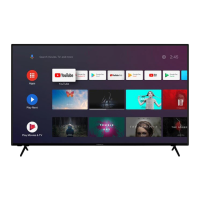
Details the TV's introduction, included accessories, and general features.
Explains Ultra HD, High Dynamic Range (HDR)/Hybrid Log-Gamma (HLG), and Dolby Vision capabilities.
Guides on assembling the TV stand, removing it, and preparing for wall mounting.
Instructions for connecting aerial, cable TV, or satellite plugs to the TV's input sockets.
Details connections for Component, HDMI, VGA, Audio, USB, LAN, and headphones.
Covers connecting power, standby modes, and complete power off procedures.
Explains using the remote for menu navigation, input selection, and channel/volume control.
Identifies remote buttons and provides instructions for installing batteries.
Detailed explanation of each button's functionality on the remote control.
Guides through initial language, country selection, and accessory pairing.
Instructions for connecting to the network and signing into a Google account.
Explains acceptance of terms and location sharing preferences.
Covers pairing wireless accessories and setting a PIN for security.
Explains setting parental restrictions and choosing Home or Store mode.
Guides through setting up Antenna, Cable, and Satellite tuners.
Explains how to use the main Android TV interface and access applications.
Covers adding favourite channels, programme guide, and finding new channels.
Covers source selection, picture modes, and aspect ratio settings.
Covers speaker settings, sleep timers, and auto power off functions.
Covers advanced options like audio language and HBBTV settings.
Explains how to configure analogue, digital subtitles, and subtitle languages.
Covers teletext language settings, BISS key, and automatic sleep timer.
Covers instant recording, watching recorded programs, and timeshift recording.
Details device information, disk formatting, speed tests, and schedule lists.
Guides for connecting to Wi-Fi and available networks.
Covers antenna and cable installation modes, scans, and channel editing.
Details satellite tuning, re-scanning, and manual setup options.
Covers automatic channel updates and update message notifications.
Explains blocking channels, program restrictions, input blocking, and PIN changes.
Covers audio channel selection, preferred audio languages, and system information.
Details system version, open source licenses, and Google account management.
Explains how to manage installed apps, permissions, and security restrictions.
Covers device settings, system information, and about section.
Covers Netflix ESN, date/time settings, and various timer functions.
Covers input terminal settings, power options like sleep timer and auto power off.
Explains picture modes, Dolby Vision specific modes, and basic picture adjustments.
Details advanced video processing and enhancement options for picture quality.
Covers various sound modes, volume controls, balance, and equalizer settings.
Details digital output, SPDIF delay, auto volume, downmix, and Dolby audio processing.
Covers storage management, home screen customization, and store mode.
Explains options for visually impaired users and audio commentary features.
Covers resetting TV settings to default and pairing wireless accessories.
Describes how to view and manage the TV's stored channel list.
Guides on editing, skipping, swapping, and managing favorite channel lists.
Explains how to use the Electronic Programme Guide (EPG) to browse schedules.
Instructions for connecting the TV to the internet via an Ethernet cable.
Steps for connecting the TV to a Wi-Fi network and available networks.
How to play various video formats using the media player.
How to play various audio formats using the media player.
Options for displaying photos and text files, including slideshows.
Covers general playback controls, repeat modes, zoom, and display settings.
How to start recording instantly and watch recorded programs.
Guides on enabling and using the timeshift recording feature.
Recommendations for formatting USB storage devices before use.
How to add, edit, or delete timers and reminders for recording.
Explains how to control connected devices via HDMI CEC.
Details the Audio Return Channel feature for audio output.
How to cast content from mobile devices to the TV wirelessly.
Explains Hybrid Broadcast Broadband TV services and applications.
Covers automatic channel searching and system firmware updates.
Solutions for the TV not switching on or responding to the remote control.
Troubleshooting tips for no picture, distorted picture, or poor sound.
Solutions for no channels found or inaccessible input sources.
Lists typical resolutions and frequencies supported via VGA input.
Details supported signal types for AV and HDMI inputs.
Lists supported video codecs, resolutions, bit rates, profiles, and containers.
Lists supported audio codecs, sample rates, channels, bit rates, and containers.
Lists supported image formats like JPEG, PNG, BMP, MPO, GIF and their resolutions.
Lists internal and external subtitle file extensions and codecs.
Provides a table of resolutions supported via DVI converter cable.
Covers TV broadcasting standards, receiving channels, and digital reception capabilities.
Details power consumption, voltage, physical size, and operating conditions.
Provides technical details about the TV's Wi-Fi transmitter frequency ranges and output power.
Lists country-specific regulations and limitations for Wi-Fi usage.
 General
| Brand | Campomatic |
|---|---|
| Model | LED57VUA |
| Category | TV |
| Language | English |

 To Next Page