ㆍ
MANUAL
ㆍ
VIDEO
ㆍ
DC
SETUP menu
LENS (selection)
EXPOSURE
WHITE BALANCE
SSDR
BACKLIGHT
DNR3
SPECIAL
EXIT
ㆍ
BRIGHTNESS
ㆍ
SENS-UP
ㆍ
ATW
ㆍ
MANUAL
ㆍ
COMM ADJ
ㆍ
IMAGE ADJ.
ㆍ
SYNC
ㆍ
OFF
ㆍ
OFF
ㆍ
OFF
DAY/NIGHT
ㆍ
SHUTTER
ㆍ
RETURN
ㆍ
AWC→SET
ㆍ
OUTDOOR
ㆍ
LANGUAGE
ㆍ
MONITOR
ㆍ
MOTION DET
ㆍ
ON
ㆍ
ON
ㆍ
BLC
ㆍ
AGC
ㆍ
INDOOR
ㆍ
EXTERN
ㆍ
AUTO
ㆍ
COLOR
ㆍ
B/W
ㆍ
CAM TITLE
ㆍ
PRIVACY
ㆍ
RETURN
ㆍ
HLC
ㆍ
SAVE
ㆍ
NOT SAVE
ㆍ
RESET
■
Menu
1
. Press the SET button
ㆍ
Settings can now be made. The SETUP menu is displayed on the monitor.
2. Select a menu item from the list available by using the UP and DOWN
buttons.
ㆍ
Funtions are selected using up and down buttons.
ㆍ
The selected position is displayed in blue.
MAIN MENU
1.LENS
2.EXPOSURE
3.WHITE BAL
4.SSDR
5.BACKLIGHT
6.DNR3
7.DAY/NIGHT
8.SPECIAL
9.EXIT
DC
SAVE
ATW
OFF
OFF
ON
COLOR
20
Ultra High Resolution Color Camera
21
Ultra High Resolution Color Camera
■
How to Use the Camera
■
Settings
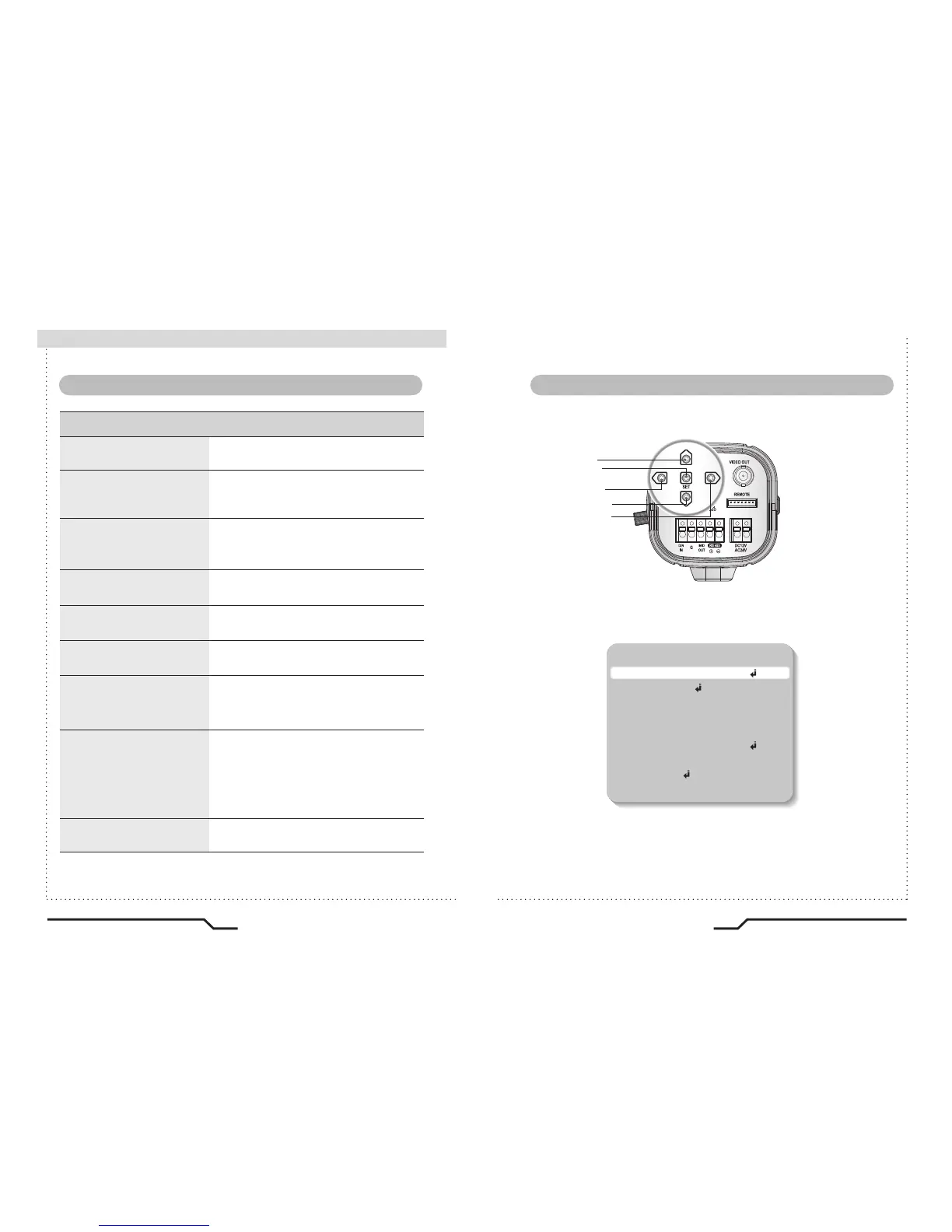
Settings can be made using the 5 buttons on the rear of the camera.
UP button
SET button
LEFT button
DOWN button
RIGHT button



 To Next Page