EasyManua.ls Logo

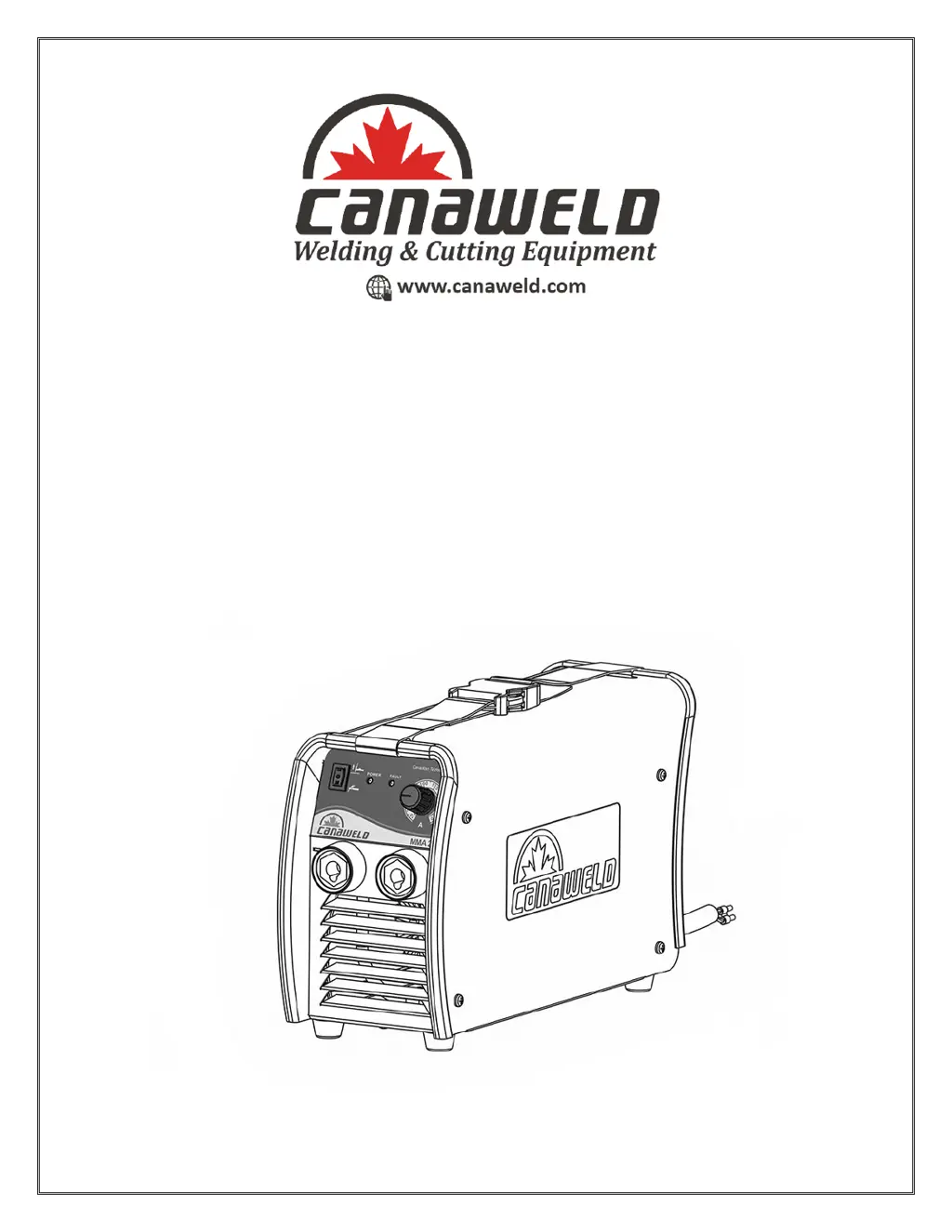
CANAWELD MMA 201 - User Manual

CANAWELD MMA 201
24 pages
Print Icon
To Next Page IconTo Next Page
Loading...
0
User Manual
Model: MMA 201

Questions and Answers

  • J
    Jeffrey EscobarJul 26, 2025
    What to do if my CANAWELD MMA 201 is on, the power LED is on, the fan functions, but there is no welding output?
    • C
      cruzblakeJul 27, 2025
      If your welding machine exhibits these symptoms, consider the following: * Check for any loose connections inside the machine. * Inspect for an open circuit or loose contact at the output terminal joint. * If the overheating LED is illuminated: * The machine may be in an over-heating protection state, which will reset automatically once cooled. * Verify the thermal switch is functioning correctly and replace if damaged. * Ensure the thermal switch connection is secure; adjust if needed.
  • H
    hurleymichaelJul 31, 2025
    What to do if my CANAWELD Welding System electrode holder becomes very hot during welding?
    • J
      Janice GillespieJul 31, 2025
      If the electrode holder is overheating, it's likely that the rated current of the electrode holder is smaller than the actual working current. Replace it with a higher rated electrode holder.
  • S
    Stephanie RodriguezAug 4, 2025
    What to do if my CANAWELD Welding System is on, the fan functions, but the output current is unstable and can't be controlled by potentiometer when welding?
    • T
      Thomas HobbsAug 4, 2025
      If the output current of your welding machine is unstable and the potentiometer doesn't control it, the current potentiometer may have failed and needs replacement. Also, check for any loose contacts inside the machine and reconnect them if found.
  • C
    csmithAug 8, 2025
    What to do if my CANAWELD MMA 201 Welding System has no welding output and the high temperature light (LED) is On?
    • T
      thaleyAug 9, 2025
      If the unit overheated causing thermal shutdown, allow the CANAWELD Welding System to cool down with the fan ON. Also, check for and correct any blocked or poor airflow to the unit. Consider reducing the duty cycle or amperage.
  • C
    christine17Aug 12, 2025
    How to fix CANAWELD MMA 201 with no welding output, ready light (LED) On?
    • S
      Stephanie BridgesAug 12, 2025
      If your CANAWELD Welding System shows these symptoms, check and secure any loose welding cables into the receptacles. Also, check the ground clamp connection to the workpiece and correct it if it's loose.
  • S
    swhiteAug 17, 2025
    What to do if my CANAWELD MMA 201 doesn't turn on, the power LED is off, the fan doesn't work, and there is no welding output?
    • F
      Felicia CarlsonAug 17, 2025
      If your CANAWELD Welding System doesn't turn on, ensure that the machine is connected to a power source and that it is receiving input power.
  • M
    Manuel SantosAug 21, 2025
    How to fix CANAWELD MMA 201 with no welding output and ready light (LED) Off?
    • J
      Joseph SimpsonAug 21, 2025
      If your CANAWELD Welding System is completely inoperative, ensure the power cord is plugged in and the receptacle is receiving power. Check that the power switch is in the ON position. Inspect and replace the line fuses, if needed, or reset the circuit breaker.

Summary

Welder Package Contents

Safety Cautions and Symbols

General Safety Warning

Indicates the user must read the manual to avoid hazardous situations.

Electric Shock Hazards

Touching live electrical parts can cause fatal shocks or severe burns; follow safety precautions.

Workplace Safety

Be mindful of working in cramped positions or elevated locations to prevent injury.

Hot Welded Parts

Welded parts are very hot after welding and can cause burns; allow cooling before handling.

Welding Fumes and Gases

Welding produces fumes and gases hazardous to health; ensure ventilation and wear protection.

Welding Rays Protection

Welding rays can burn eyes and skin; wear protective helmet and clothing.

Fire Prevention

Welding creates heat and sparks that can ignite surrounding items and cause fires; remove flammables.

Gas Safety

Dangerous gases can be produced during welding; ensure ventilation and proper handling.

Electromagnetic Field (EMF) Safety

EMF can affect pacemakers and medical devices; consult doctor before welding.

Noise Exposure

Working areas may create excessive noise; wear ear protection if noise level is high.

Gas Cylinder Safety

Gas cylinders are under pressure and can explode if damaged; handle with care.

Electrostatic Discharge (ESD) Safety

Static charge can be created during welding; use grounded wrist straps and static-proof bags.

Moving Parts Safety

Be aware of moving parts like fans and drive rolls; keep hands and loose clothing away.

Installation, Overview & Specifications

Installation Procedures

Details regarding the setup and electrical connections for the welding machine.

Product Overview and Design

Describes the product design, features, and construction of the welding machine.

Machine Functions

Explains the built-in functions like hot start, anti-sticking, and arc force.

Performance Features

Details advanced IGBT inverter technology and its benefits like reduced size and noise.

Control Mode Features

Describes the advanced control technology for various welding applications and arc starting.

Operation of Equipment

General Operation

Steps for starting the machine after installation and important connection considerations.

Stick Welding Operation

Instructions for connecting the electrode holder and ground clamp for stick welding.

TIG Welding Operation

Instructions for connecting the electrode holder and ground clamp for TIG welding.

Control Panel and Operation

Front Panel Components

Identifies and describes the numbered components on the welding machine's front panel.

Welding Mode Selection

Details how to select STICK or TIG welding and adjust parameters using the control panel.

Maintenance & Troubleshooting

Machine Maintenance

Provides instructions and precautions for maintaining the welding machine, including cleaning and checks.

Troubleshooting Guide

Lists common problems and their corresponding remedies for the welding machine.

Electrical Specifications

Machine Specifications

Lists the technical specifications of the MMA 201 welder, including voltage, current, and dimensions.

Electrical Schematic

Visual representation of the internal electrical circuitry of the welding machine.

Parts List

Component Details

Comprehensive list of components and their associated item numbers for the MMA 201 welder.

Warranty & Service

Limited Warranty Statement

Outlines the terms and conditions of the limited warranty for Canaweld equipment.

Warranty Period and Coverage

Specifies the duration of the warranty coverage and its start date.

Warranty Claim Conditions

Details the requirements for obtaining warranty service, including proof of purchase.

Warranty Repair Process

Describes the process for warranty repairs and the responsibilities of the repair center.

Freight Costs

Clarifies who is responsible for shipping costs related to warranty service.

Warranty Limitations

Lists exclusions and limitations to the warranty coverage.

Further Warranty Limitations

Details further warranty exclusions, including consumables and consequential damages.

CANAWELD MMA 201 Specifications

General IconGeneral
Input Frequency50/60 Hz
Output Current Range20-200A
Duty Cycle60% at 200 A
Electrode Size1.6-5.0 mm
Protection ClassIP21S
Insulation ClassF
Weight6.5 kg
Efficiency85%
Power Factor0.73

Related product manuals