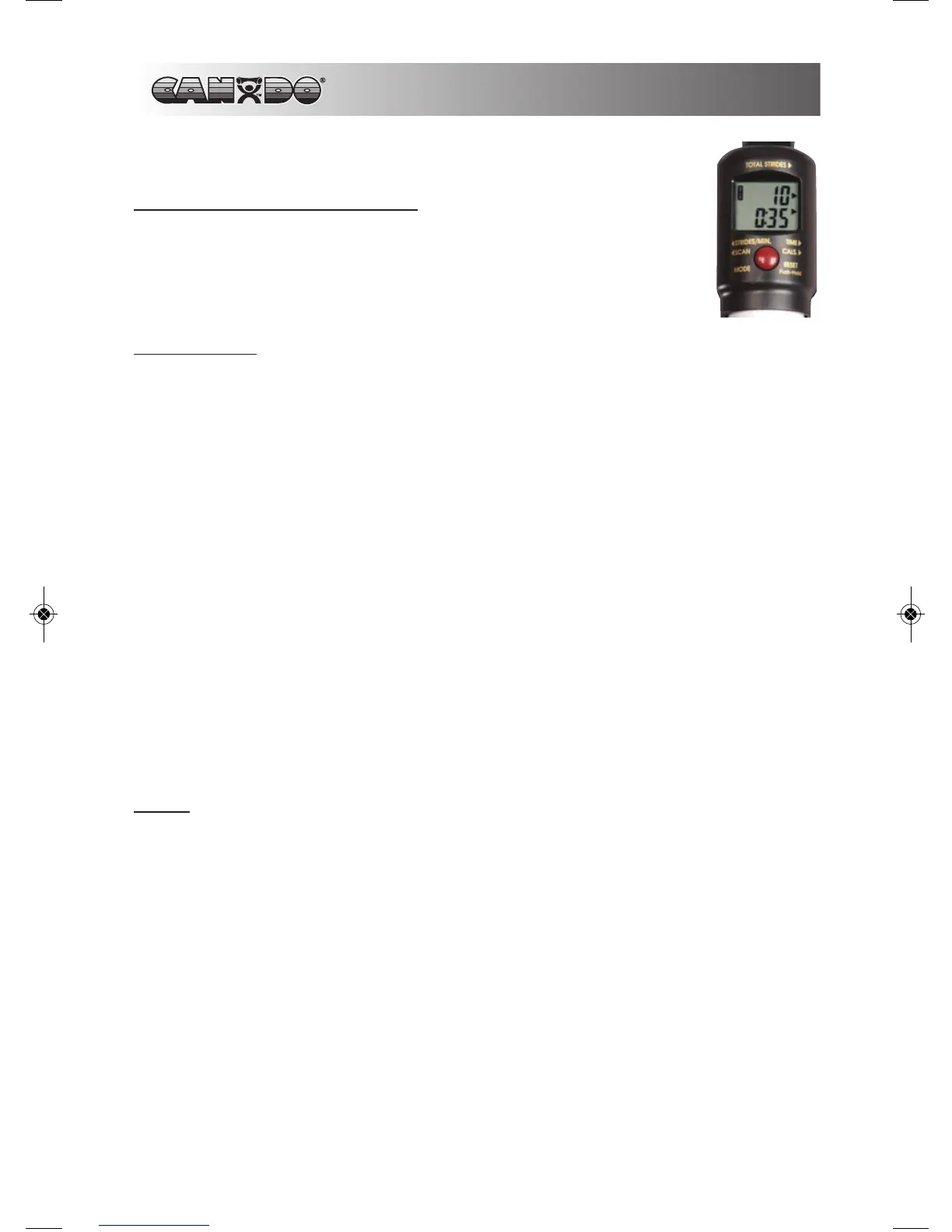
ELECTRONIC MONITOR
FUNCTION “MODE” BUTTON
Use “MODE” button to select functions: time, revolutions per
minute, and total revolutions. Hold the “MODE” button for 2 sec-
onds to reset all values.
FUNCTIONS
SCAN Press “MODE” button to select “SCAN” mode with
a “SCAN” sign on the upper left corner of the mon-
itor. This function will automatically scan through
all the functions displayed on the bottom line of
the monitor.
TIME Automatically accumulates workout time when
starting exercise.
REVOLUTIONS / MIN Displays current number of revolutions per
minute.
TOTAL REVOLUTIONS Displays number of revolutions completed during
exercise session.
STOP “STOP” displays on LCD when exercise ends.
NOTE
1. If an improper display is seen on the monitor replace the batteries.
2. Monitor uses two 1.5v “AA” batteries for power supply.
3. The monitor will automatically shut off if no input signal is received for a 4 to
5 minute period.
4. Monitor will automatically start when you start exercising or press the button.
10
SHOULDER EXERCISER


 To Next Page