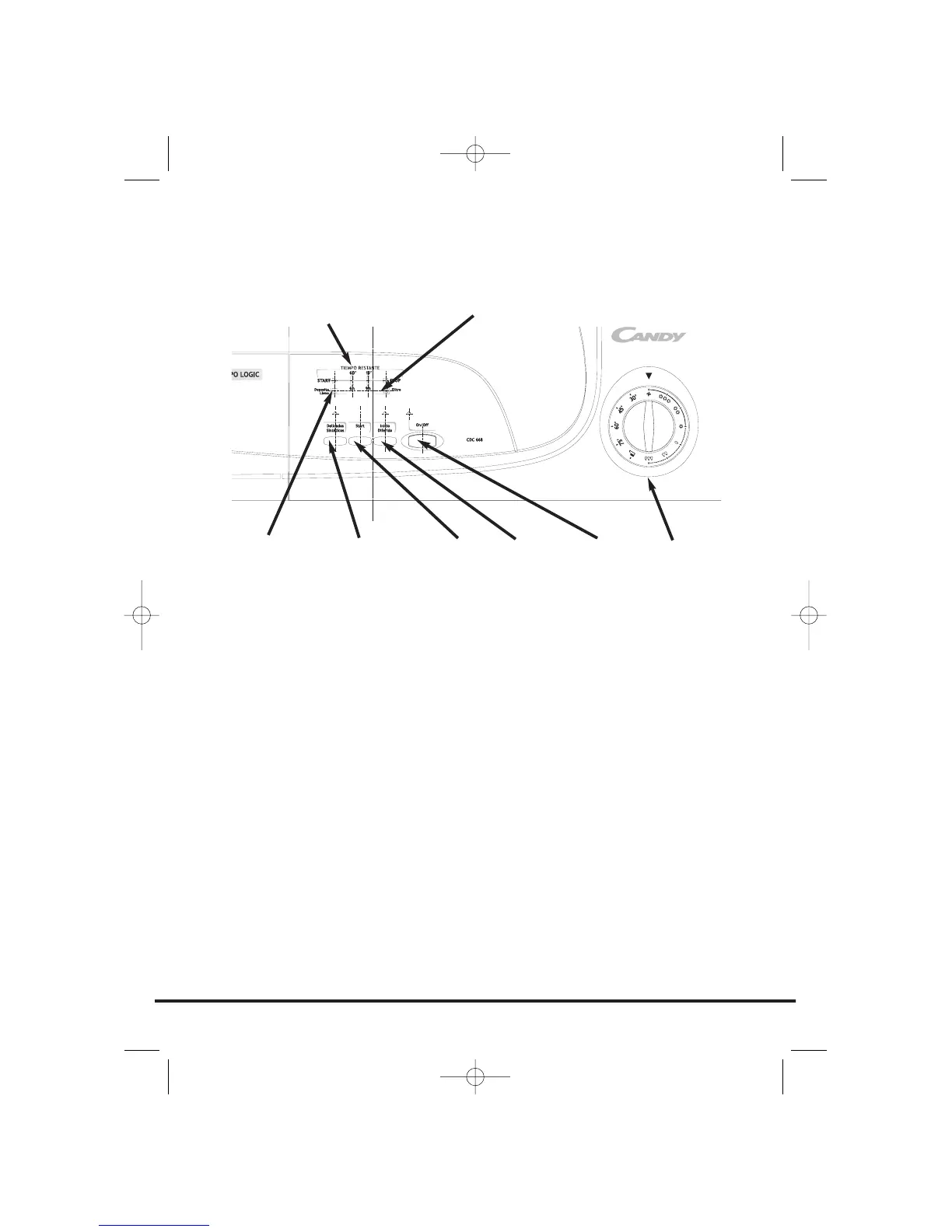
Control panel and indicator lights
Programme Selector – Select the required programme
On/Off button and indicator – Press to switch on, the indicator will light
START – Press START to commence the selected drying programme. Press for 5 seconds
to cancel/reset the programme
Acrylics/Synthetics button (Delicados Sintéticos) – Press to reduce the heat level for
delicate items, the indicator above the button will light up. To change the heat setting
the programme must be reset
Low Heat – Indicator light ON High Heat – Indicator light OFF
Empty Water indicator (Deposito Lleno) – lights when the water container is full
Filter Care indicator (Filtro) – lights when the filter needs cleaning
Start Delay button (Inicio Diferido) – Allows the user to delay the start of the drying
cycle (see details of operation page 16)
Time Remaning Display (TIEMPO RESTANTE)
START – When the dryer is switched On the START indicator will flash, when the
programme starts the START indicator will light up
60' – Indicator lights when there is less than 60 minutes left until completion of the
programme
15' - Indicator lights when there is less than 15 minutes left until completion of the
programme. At this stage of the drying cycle the machine enters the Cool Down phase
STOP - Indicator lights when the programme is finished.
6h - 6 hour start delay (light flashes when in operation)
9h - 9 hour start delay (light flashes when in operation)
11
Controls and indicators
ACRYLICS/
SYNTHETICS
BUTTON
ON/OFF
BUTTON
FILTER CARE INDICATOR
EMPTY
WATER
INDICATOR
PROGRAMME
SELECTOR
START
BUTTON
START
DELAY
BUTTON
TIME REMAINING DISPLAY



 To Next Page