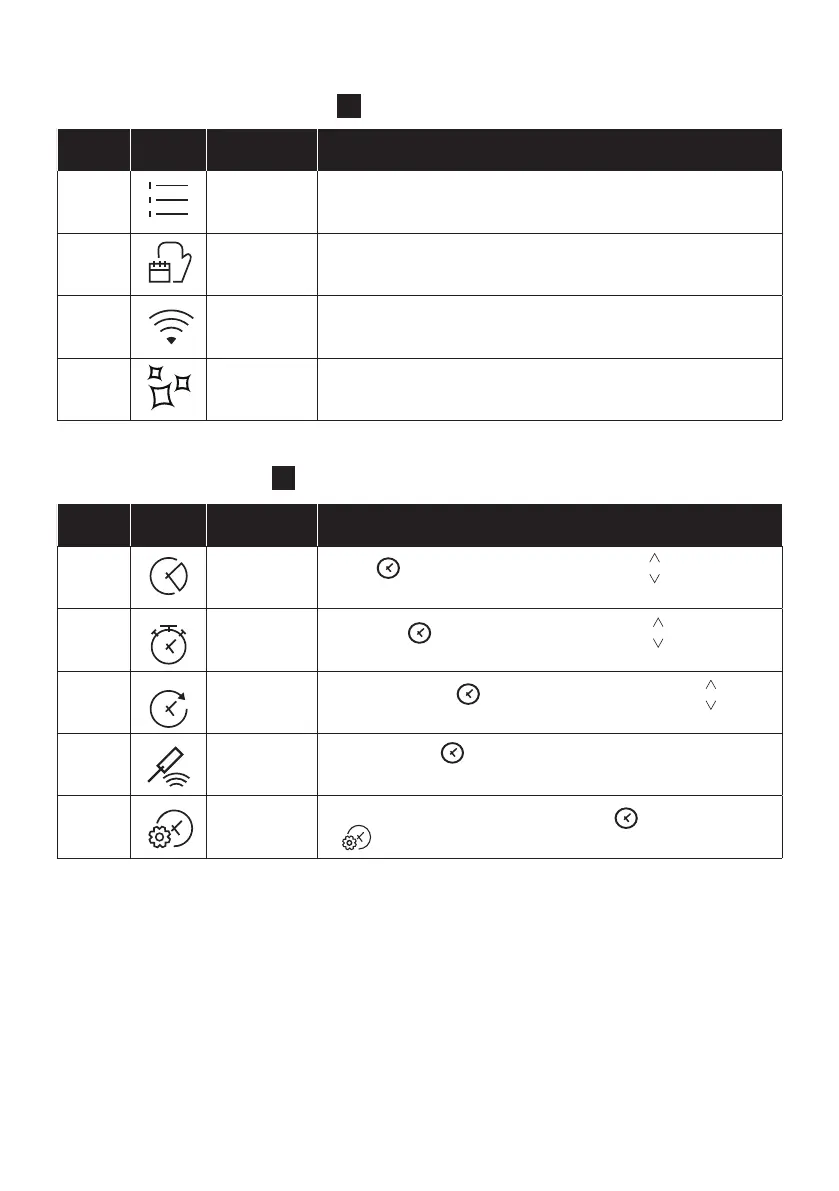
EN 15
3
Description
e
Press to set the cooking duration, use the keys to regulate
the time.
f
Press twice to set the kitchen timer, use the keys to regulate
the time.
g
Press three times to set the delay start, use the keys to
regulate the time.
h
sensor
Press four times to active the cooking with probe, see page 20
to see how it works.
i
With the oven on standby, press and hold down for 3 seconds
to .
Description
a
This function allows to choose cooking functions, temperature
and duration.
b
In this menu you can access a 4 food cooking categories already
integrated on your oven.
c
In this mode you can connect your oven to a network and enroll it
with the hOn App.
d
This function allows to choose a cleaning system available on your
oven.
2



 To Next Page