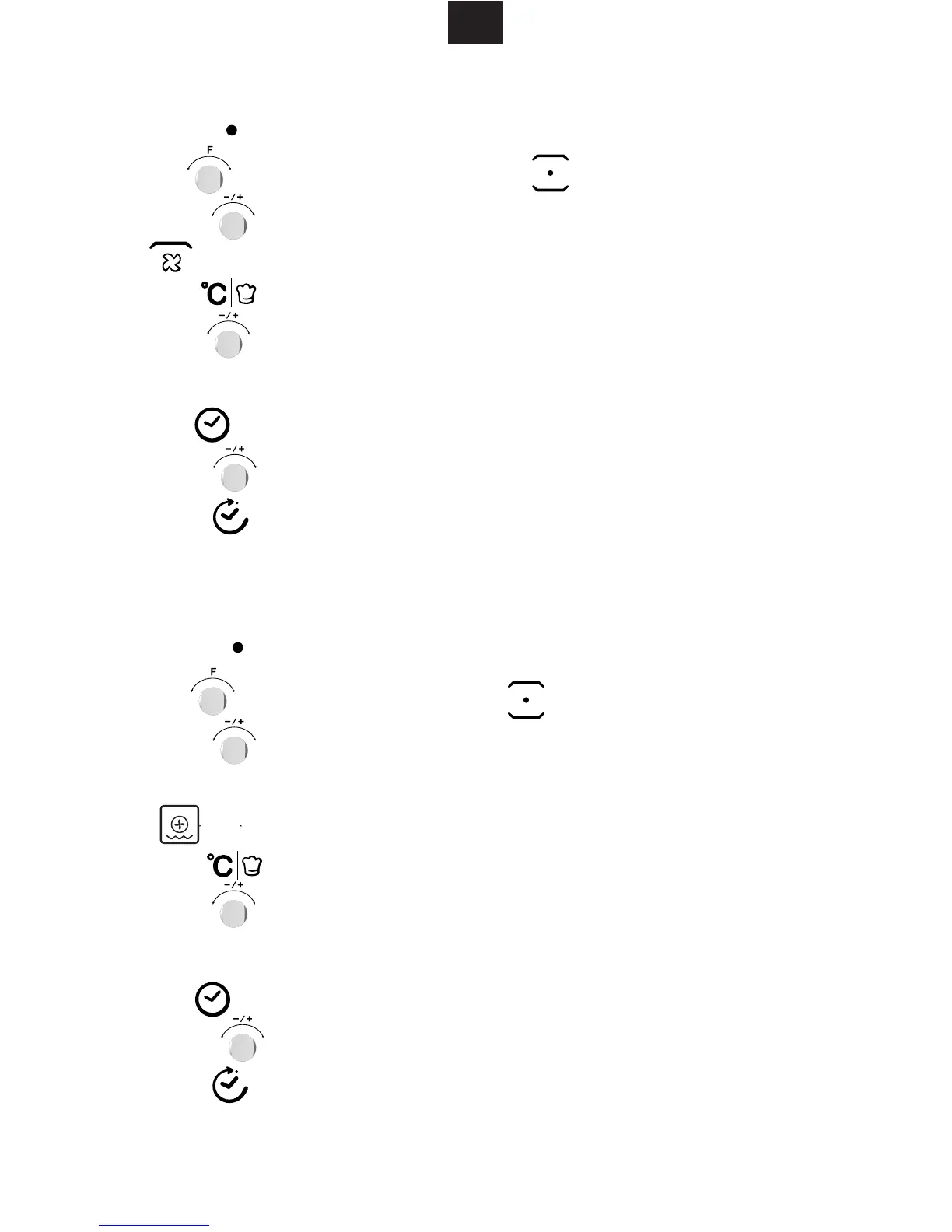
1) Press " " button to activate the microwave function.
2) Turn " " to select the cooking mode.
4) Press " " to enter to the temperature selection.
7) Press " " button to start cooking.
The temperature are 100,105,110,115,120,125,130,135,140,145,150,155,160,
165,170,175,180,185,190,195,200,205,210,215,220,225,230.
5. Grill Fan Cooking
" " indicator lights.
3) Turn " " to select grill fan mode. The default temperature is 180 degrees.
" " indicator will light when grill fan function is selected.
5) Turn " " to select the temperature between 100 to 230 degrees.
4) Press "
7) Press " " button to start cooking.
The temperature are 100,105,110,115,120,125,130,135,140,145,150,155,160,
165,170,175,180,185,190,195,200,205,210,215,220,225,230.
" " indicator lights.
5) Turn " " to select the temperature between 100 to 230 degrees.
6. Convection+ Bottom heat Cooking
1) Press " " button to activate the microwave function.
"
2) Turn " " to select
bottom+ convection
cooking mode.
3) Turn " " to select mode.
The default temperature is 180 degrees.
" indicator will light when convection + bottom function is selected.
press" " to select the time setting mode. The default time is 10 minutes.
Press" " to select the time setting mode. The default time is 10 minutes.
6) Turn " " to select the cooking time. The MAX.time is 5 hours.
6) Turn " " to select the cooking time. The MAX.time is 5 hours.


 To Next Page