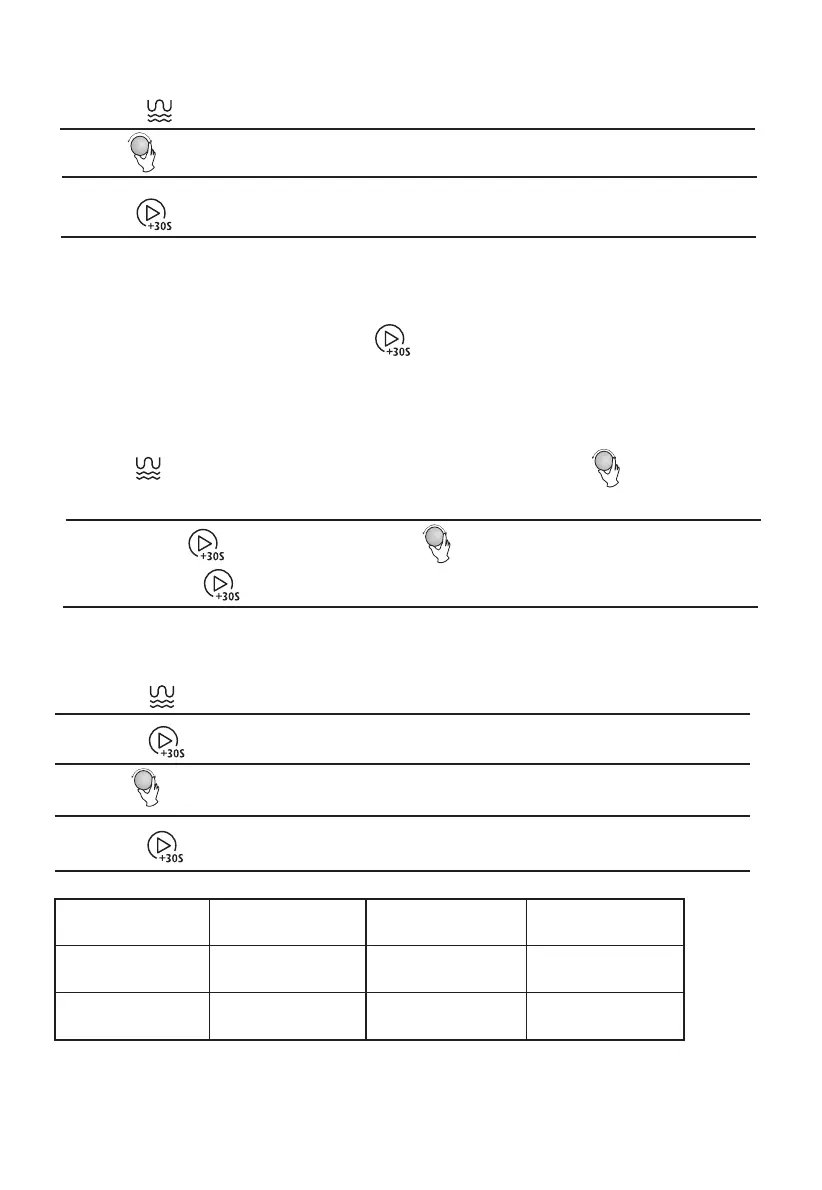
1) Press " " three times, the screen display "C-1".
" to confirm, and the screen displays " ".
Press " " three times, the screen will display "C-1",
turn " " to choose
" " to confirm, and turn " " to set cooking time from 0:05 to
" " again to start cooking.
Example: If you want to use 55% microwave power and 45% grill power(C-1) to
cook for
10 minutes, you can operate the oven as the following steps.
s
"C-1" or "C-2".
95:00. Press
3. Grill
Press " " twice, the screen will display " 0:30 ".
" " to set cooking time from 0:05 to 95:00.
Turn
"
"
again to start cooking.
Press
4.Combination Cooking
1)
2)
3)
Then press
1)
2)
0:30
cooking
Note:
When the grill time is halfway completed, the oven will sound twice.
In order to have better grilling results, you should flip the food over,
If no action is taken, the oven will still continue cooking.
close the door, and then press " " to continue cooking.
the power
"10:00".
" to start cooking .
2) Press "
3) Turn " " to adjust the cooking time until the oven displays
4) Press "
Function
Display
Microwave
Power
Grill Power
Combi.1
C-1
55%
45%
Combi.2
C-2
36%
64%


 To Next Page