EN 06
3.3 First Use
PRELIMINARY CLEANING
Clean the oven before using for the first time. Wipe over external
surfaces with a damp soft cloth. Wash all accessories and wipe inside
the oven with a solution of hot water and washing up liquid. Set the
empty oven to the maximum temperature and leave on for about 1
hour, this will remove any lingering smells of newness.
3.4 Operating In Manual Mode
- Press the Manual Mode tab to set a cooking in 3 simple steps.
- When a cooking is running you can:
In this screen it is possible to:
• press the webcam icon to watch inside the oven cavity
• press STOP to finish the cooking
- Swipe to select the cooking time. Press START to begin the cooking
or BACK to return to the temperature setting.
• set delayed start
• change the cooking time
- Swipe to select the desired temperature. Press NEXT to go ahead or
BACK to return to the cooking functions selection.
• exclude pre heating (setted by default)
• change the temperature
- Swipe and select the desired cooking function. Press NEXT to go
ahead
3.5 Home Page - Main Functions
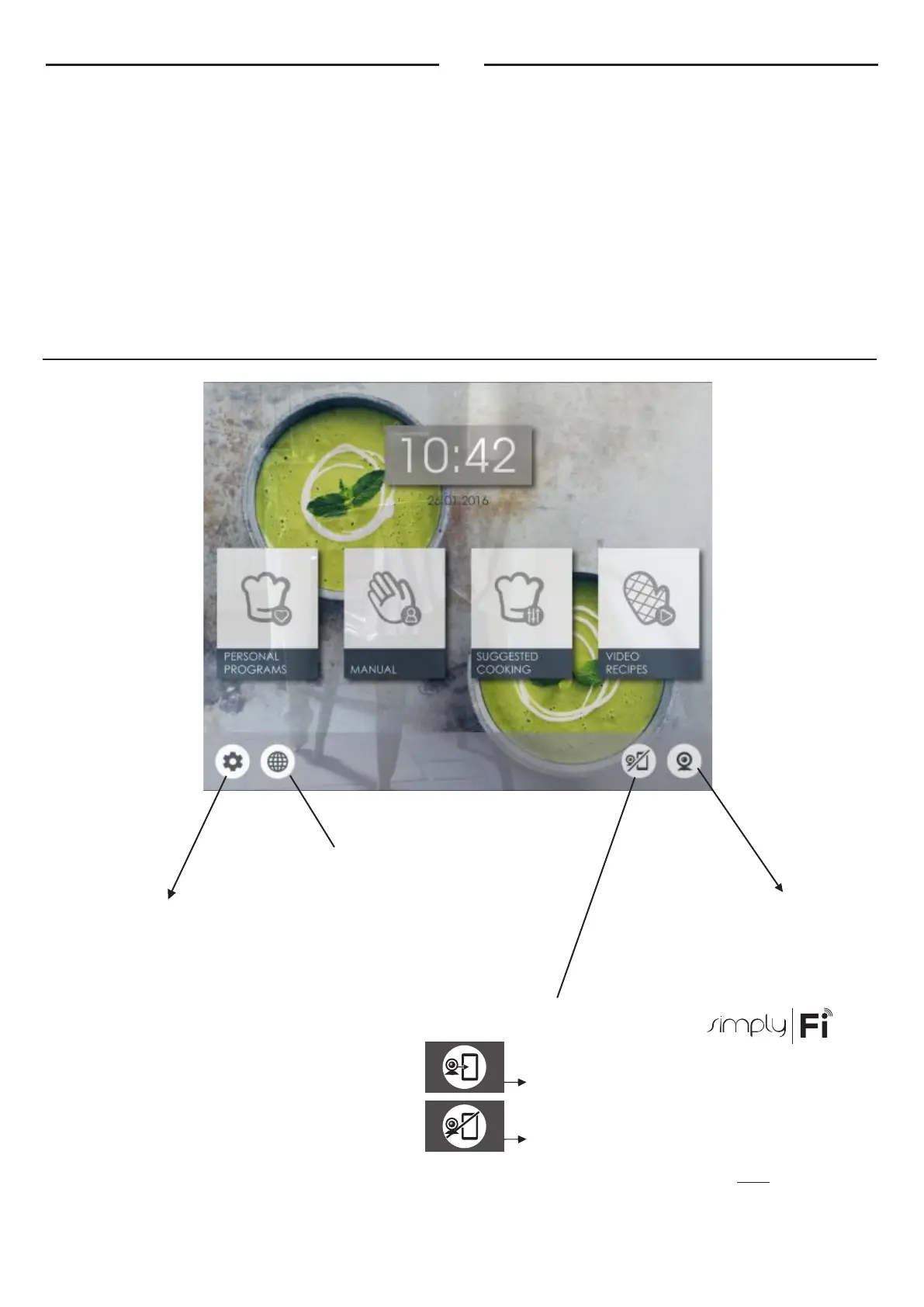
SETTINGS
WEB BROWSER
Entering in this screen it will be
possible to surf on internet
within a list of authorized
websites.
OVEN-DEVICE CONNECTION( )
• bluetooth audio
• language
• date and time
• screen options
Entering in this screen it will be
possible to set:
• wifi
The oven is sending all the data to the connected device
The oven is not sending the data to the device
NB: If this option is activated, the oven is driven only by the connected
device.
Pressing the webcam icon you
can watch inside the oven to
monitor the cooking progress.
WEBCAM



 To Next Page