SET-UP STEP 2STEP 1 STEP 3 STEP 4 PRE-RIDE CHECK
A
B
D
E
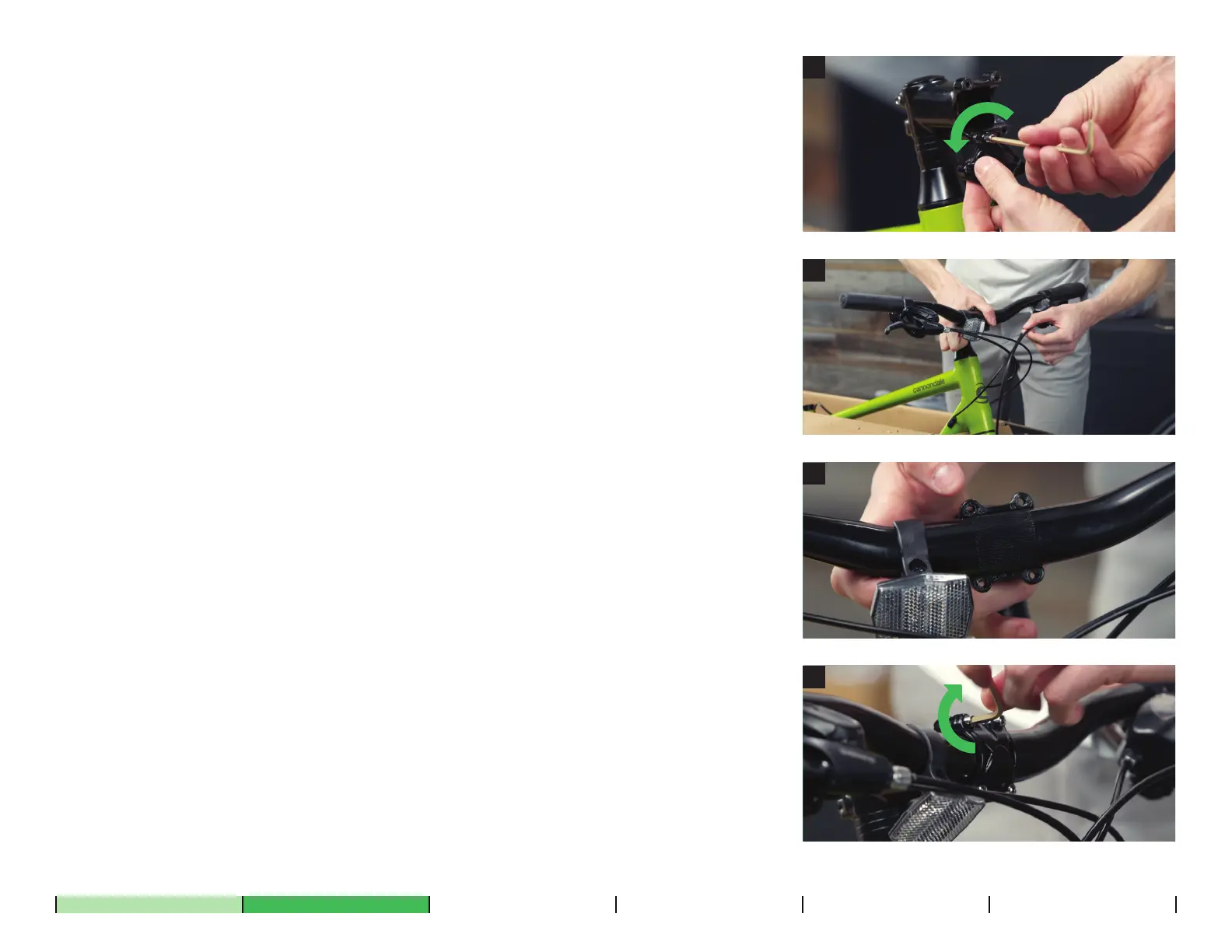
Using the included Allen wrench, loosen and remove the bolts and
faceplate from the stem. The stem connects the handlebar to the
fork. Set the bolts and faceplate aside together, so you don’t lose
anything.
Insert the handlebar into the stem and verify the brake and shift
cables wrap around the frame cleanly, without kinks to any of the
lines.
Loosely reattach the faceplate to the stem. Take care to not tighten
one bolt more than another. Your goal is a consistent gap between
the stem and faceplate.
Center the handlebar in the stem using the markings on the bar, then
roll it back into a comfortable position.
Hand-tighten the stem bolts using the Allen key, ensuring there’s an
even gap between the stem body and faceplate at both the top and
bottom of the stem. You will fully tighten these later.
A.
B.
C.
D.




 To Next Page