EasyManua.ls Logo

Canon 450D - User Manual

Canon 450D
18 pages
Print Icon
To Next Page IconTo Next Page
Loading...
1
1
CHAPTER
Exploring and
Setting Up
the Rebel
XSi/450D
P
rofessional photographers know that an important
first step in photography is learning the camera so
thoroughly that they can operate the camera without hesitat-
ing or hunting for controls. By knowing the camera and lens
controls well, you can make adjustments instinctively and
confidently without missing a shot.
The simple design of the Rebel XSi/450D makes mastering it
both easy and fun; yet despite the simplicity, the camera offers
full-function features for exceptional creative control. Internally,
Canon’s 12.2-megapixel CMOS (complementary metal-oxide
semiconductor) sensor, DIGIC III Image Processor, and 14-bit
analog-to-digital conversion deliver dependably vivid, crisp
images, especially at the highest image-quality settings.
Anatomy of the Rebel
XSi/450D
Many of the Rebel XSi/450D’s controls are within a finger’s
reach for quick adjustment as you’re shooting. Less frequently
used functions are accessible only via the menus. The follow-
ing sections help you to explore and master the XSi/450D
controls.
✦✦✦✦
In This Chapter
Anatomy of the Rebel
XSi/450D
Setting up the Rebel
XSi/450D
✦✦✦✦
05_380871-ch01.qxp 6/20/08 6:43 PM Page 3
COPYRIGHTED MATERIAL
Question and Answer IconNeed help?

Do you have a question about the Canon 450D and is the answer not in the manual?

Summary

Anatomy of the Rebel XSi;450 D

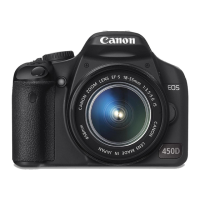
Front camera controls

Explains controls and connections on the front of the camera.

Top camera controls

Details controls on the top of the camera for quick adjustments.

Rear camera controls

Describes rear controls for quick adjustments during shooting.

Camera terminals

Lists and explains the various terminals on the camera side.

The LCD

Describes the function and display of the 3-inch LCD screen.

Viewfinder display

Details the information displayed within the camera's viewfinder.

Lens controls

Explains automatic and manual focusing controls on lenses.

Setting Up the Rebel XSi;450 D

If You Need to Start Over

Provides instructions on how to reset the camera to default settings.

Formatting an SD;SDHC card

Explains the process and importance of formatting memory cards.

Choosing the file format and quality

Discusses JPEG and RAW file formats and their quality settings.

JPEG format

Details the JPEG file format, compression levels, and quality.

RAW format

Explains the RAW file format and its advantages for editing.

Changing file numbering

Describes options for numbering image files sequentially or resetting them.

Summary

Anatomy of the Rebel XSi;450 D

Front camera controls

Explains controls and connections on the front of the camera.

Top camera controls

Details controls on the top of the camera for quick adjustments.

Rear camera controls

Describes rear controls for quick adjustments during shooting.

Camera terminals

Lists and explains the various terminals on the camera side.

The LCD

Describes the function and display of the 3-inch LCD screen.

Viewfinder display

Details the information displayed within the camera's viewfinder.

Lens controls

Explains automatic and manual focusing controls on lenses.

Setting Up the Rebel XSi;450 D

If You Need to Start Over

Provides instructions on how to reset the camera to default settings.

Formatting an SD;SDHC card

Explains the process and importance of formatting memory cards.

Choosing the file format and quality

Discusses JPEG and RAW file formats and their quality settings.

JPEG format

Details the JPEG file format, compression levels, and quality.

RAW format

Explains the RAW file format and its advantages for editing.

Changing file numbering

Describes options for numbering image files sequentially or resetting them.

Canon 450D Specifications

General IconGeneral
Sensor TypeCMOS
ISO Range100-1600
Autofocus Points9
LCD Screen Size3.0 inches
Viewfinder TypeOptical
Continuous Shooting Speed3.5 fps
Video RecordingNo
Storage TypeSD/SDHC
Battery TypeLithium-Ion LP-E5
Camera TypeDSLR
Image StabilizationNo
Lens MountCanon EF/EF-S
Shutter Speed30-1/4000 sec
LCD Resolution230, 000 dots
Built-in FlashYes
Weight475 g (body only)
Image ProcessorDIGIC III
Viewfinder Coverage95%
Dimensions129 x 98 x 62 mm
Sensor Resolution12.2 Megapixel
Sensor Size22.2 x 14.8 mm

Related product manuals