EasyManua.ls Logo

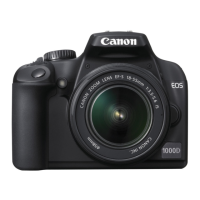
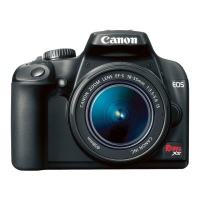
Canon Xsi User Manual

Canon Xsi
196 pages
To Next Page IconTo Next Page
Page #1 background imageLoading...
Page #1 background image
E
INSTRUCTION MANUAL
E
INSTRUCTION
MANUAL
This Instruction Manual booklet is current as of February 2008. For information on
the camera’s compatibility with any accessories and lenses introduced after this
date, contact any Canon Service Center.
CT1-1020-000 © CANON INC. 2008 PRINTED IN JAPAN
CANON INC. 30-2, Shimomaruko 3-chome, Ohta-ku, Tokyo 146-8501, Japan
U.S.A. CANON U.S.A. INC.
One Canon Plaza, Lake Success, NY 11042-1198, U.S.A.
For all inquires concerning this product, call toll free in the U.S.
1-800-OK-CANON
CANADA CANON CANADA INC. HEADQUARTERS
6390 Dixie Road, Mississauga, Ontario L5T 1P7, Canada
CANON CANADA INC. MONTREAL BRANCH
5990, Côte-de-Liesse, Montréal Québec H4T 1V7, Canada
CANON CANADA INC. CALGARY OFFICE
2828, 16th Street, N.E. Calgary, Alberta T2E 7K7, Canada
For all inquiries concerning this product, call toll free in Canada
1-800-OK-CANON
EUROPE, CANON EUROPA N.V.
AFRICA & Bovenkerkerweg 59-61, P.O. Box 2262, 1180 EG Amstelveen, The Netherlands
MIDDLE EAST CANON COMMUNICATION & IMAGE FRANCE S.A.S.
12 Rue de l’Industrie 92414 Courbevoie Cedex, France
CANON UK LTD.
Woodhatch Reigate Surrey RH2 8BF, United Kingdom
CANON DEUTSCHLAND GmbH
Europark Fichtenhain A10, 47807 Krefeld, Germany
CANON ITALIA S.p.A.
Via Milano 8 I-20097 San Donato Milanese, Milano, Italy
CANON Schweiz AG
Geschäftsbereich Wiederverkauf, Industriestrasse 12, CH-8305 Dietlikon, Switzerland
CANON GMBH
Zetschegasse 11, A-1230 Wien, Austria
CANON España, S. A.
C/Joaquín Costa, 41, 28002 Madrid, Spain
SEQUE Soc. Nac. de Equip., Lda.,
Praça da Alegria, 58, 2°, 1269-149 Lisboa, Portugal
CENTRAL & CANON LATIN AMERICA, INC.
SOUTH AMERICA 703 Waterford Way, Ste. 400 Miami, FL 33126, U.S.A.
ASIA CANON (China) Co., Ltd.
15F Jinbao Building No.89 Jinbao Street, Dongcheng District, Beijing 100005, China
CANON HONGKONG CO., LTD.
19/F., The Metropolis Tower, 10 Metropolis Drive, Hunghom, Kowloon, Hong Kong
CANON SINGAPORE PTE. LTD.
1 HarbourFront Avenue, #04-01 Keppel Bay Tower, Singapore 098632
CANON KOREA CONSUMER IMAGING INC.
Startower Bldg.17F,737,Yeoksam-Dong, Kangnam-Ku, Seoul, 135-984, Korea
OCEANIA CANON AUSTRALIA PTY. LTD.
1 Thomas Holt Drive, North Ryde, N.S.W. 2113, Australia
CANON NEW ZEALAND LTD.
Akoranga Business Park, Akoranga Drive, Northcote, Auckland, New Zealand
JAPAN CANON MARKETING JAPAN INC.
16-6, Kohnan 2-chome, Minato-ku, Tokyo 108-8011, Japan

Table of Contents

Question and Answer IconNeed help?

Do you have a question about the Canon Xsi and is the answer not in the manual?

Canon Xsi Specifications

General IconGeneral
ModelEOS Rebel XSi / 450D
Camera TypeDigital SLR
Sensor TypeCMOS
Sensor Size22.2 x 14.8 mm
Effective Pixels12.2 megapixels
ISO Range100-1600
Autofocus Points9
Shutter Speed Range1/4000 to 30 sec
Continuous Shooting Speed3.5 fps
LCD Screen Size3.0 inches
LCD Screen Resolution230, 000 dots
Viewfinder TypeOptical pentamirror
Viewfinder Coverage95%
Max Video ResolutionNo video recording
Storage MediaSD/SDHC card
BatteryLP-E5
Image StabilizationLens-based
Dimensions128.8 x 97.5 x 61.9 mm
Weight475 g (including battery)

Summary

Item Check List

Handling Precautions

Camera Care

General advice on maintaining the camera's condition and preventing damage.

Quick Start Guide

Getting Started

Recharging the Battery

Step-by-step guide on how to charge the camera's battery pack.

Installing and Removing the Battery

Instructions for correctly inserting and removing the battery from the camera.

Setting the Date and Time

Guide to setting the camera's date and time, which affects image metadata.

Installing and Removing the Card

Instructions for inserting and removing memory cards for image storage.

Mounting and Detaching a Lens

Procedures for attaching and removing camera lenses securely.

Basic Operation

Menu Operations and Settings

Formatting the Card

Steps to format the memory card, erasing all data for safe reuse.

Basic Shooting and Image Playback

Fully Automatic Shooting

Guide to using the camera in Full Auto mode for effortless point-and-shoot photography.

Advanced Shooting Techniques

P: Program AE

Using Program AE mode for automatic shutter speed and aperture, with options for program shift.

ISO: Changing the ISO Speed

How to adjust ISO sensitivity to suit lighting conditions for optimal exposure and noise levels.

Using the Built-in Flash

Guide to activating and using the camera's built-in flash for indoor or low-light shooting.

AF: Changing the AF Mode

Selecting appropriate autofocus modes (One-Shot, AI Focus, AI Servo) for different subjects.

Selecting the AF Point

How to manually choose the AF point for precise focusing on the desired subject area.

Setting the Image-recording Quality

Choosing between various image quality settings (JPEG, RAW) and their impact on file size and detail.

More Advanced Techniques

Live View Shooting

Preparing for Live View Shooting

Steps to set up the camera for shooting using the LCD monitor in real-time.

Customizing the Camera

Setting Custom Functions

Configuring camera behavior and features through Custom Functions for personalized shooting.

Troubleshooting Guide

Specifications

Safety Warnings

Preventing Serious Injury or Death

Crucial safety guidelines to prevent harm from electrical shock, heat, or explosions.

Preventing Injury or Equipment Damage

Precautions to avoid physical harm and damage to the camera or accessories.

Related product manuals