EasyManua.ls Logo

Canon A2 - Loading the Batteries

Canon A2
48 pages
Print Icon
To Next Page IconTo Next Page
To Previous Page IconTo Previous Page
Loading...
1.
Loading
the
Batteries
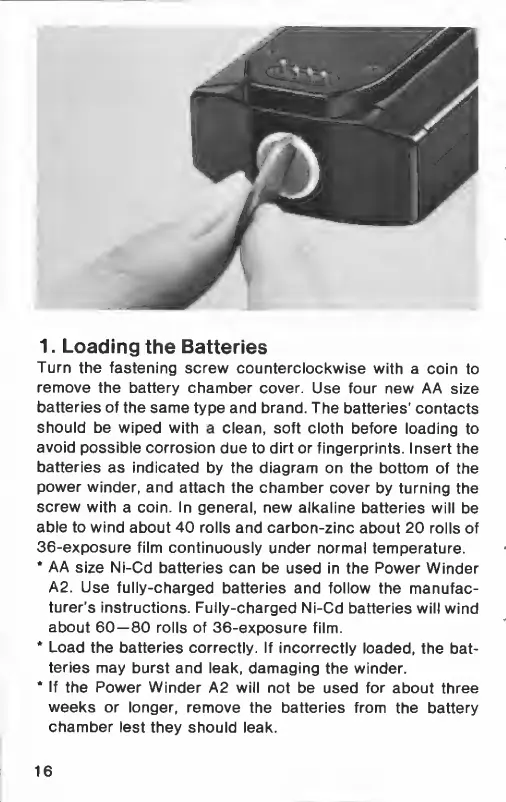
Turn
the
fastening
screw
counterclockwise
with
a
coin
to
remove
the
battery
chamber
cover.
Use
four
new
AA
size
batteries
of
the
same
type
and
brand.
The
batteries'
contacts
should
be
wiped
with
a
clean,
soft
cloth
before
loading
to
avoid
possible
corrosion
due
to
dirt
or
fingerprints.
Insert
the
batteries
as
indicated
by
the
diagram
on
the
bottom
of
the
power
winder,
and
attach
the
chamber
cover
by
turning
the
screw
with
a
coin.
In
general,
new
alkaline
batteries
will
be
able
to
wind
about
40
rolls
and
carbon-zinc
about
20
rolls
of
36-exposure
film
continuously
under
normal
temperature.
*
AA
size
Ni-Cd
batteries
can
be
used
in
the
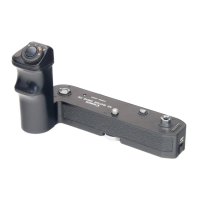
Power
Winder
A2.
Use
fully-charged
batteries
and
follow
the
manufac-
turer's
instructions.
Fully-charged
Ni-Cd
batteries
will
wind
about
60—80
rolls
of
36-exposure
film.
*
Load
the
batteries
correctly.
If
incorrectly
loaded,
the
bat-
teries
may
burst
and
leak,
damaging
the
winder.
*
If
the
Power
Winder
A2
will
not
be
used
for
about
three
weeks
or
longer,
remove
the
batteries
from
the
battery
chamber
lest
they
should
leak.
16

Related product manuals