EasyManua.ls Logo

Canon A2 - Page 18

Canon A2
48 pages
Print Icon
To Next Page IconTo Next Page
To Previous Page IconTo Previous Page
Loading...
2.
Affixing
the
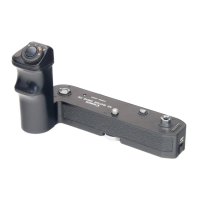
Power
Winder
to
the
Camera
e
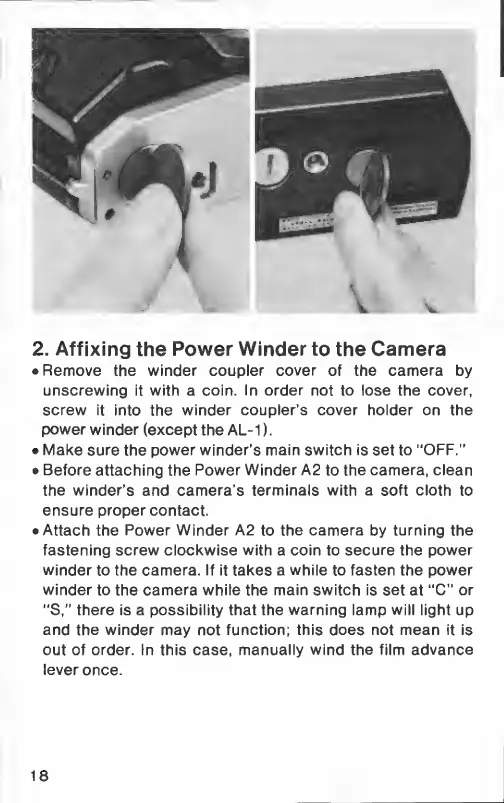
Remove
the
winder
coupler
cover
of
the
camera
by
unscrewing
it
with
a
coin.
In
order
not
to
lose
the
cover,
screw
it
into
the
winder
coupler's
cover
holder
on
the
power
winder
(except
the
AL-1).
e
Make
sure
the
power
winder's
main
switch
is
set
to
“OFF.”
e
Before
attaching
the
Power
Winder
А2
to
the
camera,
clean
the
winder’s
and
camera’s
terminals
with
a
soft
cloth
to
ensure
proper
contact.
e
Attach
the
Power
Winder
A2
to
the
camera
by
turning
the
fastening
screw
clockwise
with
a
coin
to
secure
the
power
winder
to
the
camera.
If
it
takes
a
while
to
fasten
the
power
winder
to
the
camera
while
the
main
switch
is
set
at
“C”
or
“S,”
there
is
a
possibility
that
the
warning
lamp
will
light
up
and
the
winder
may
not
function;
this
does
not
mean
it
is
out
of
order.
In
this
case,
manually
wind
the
film
advance
lever
once.
18

Related product manuals