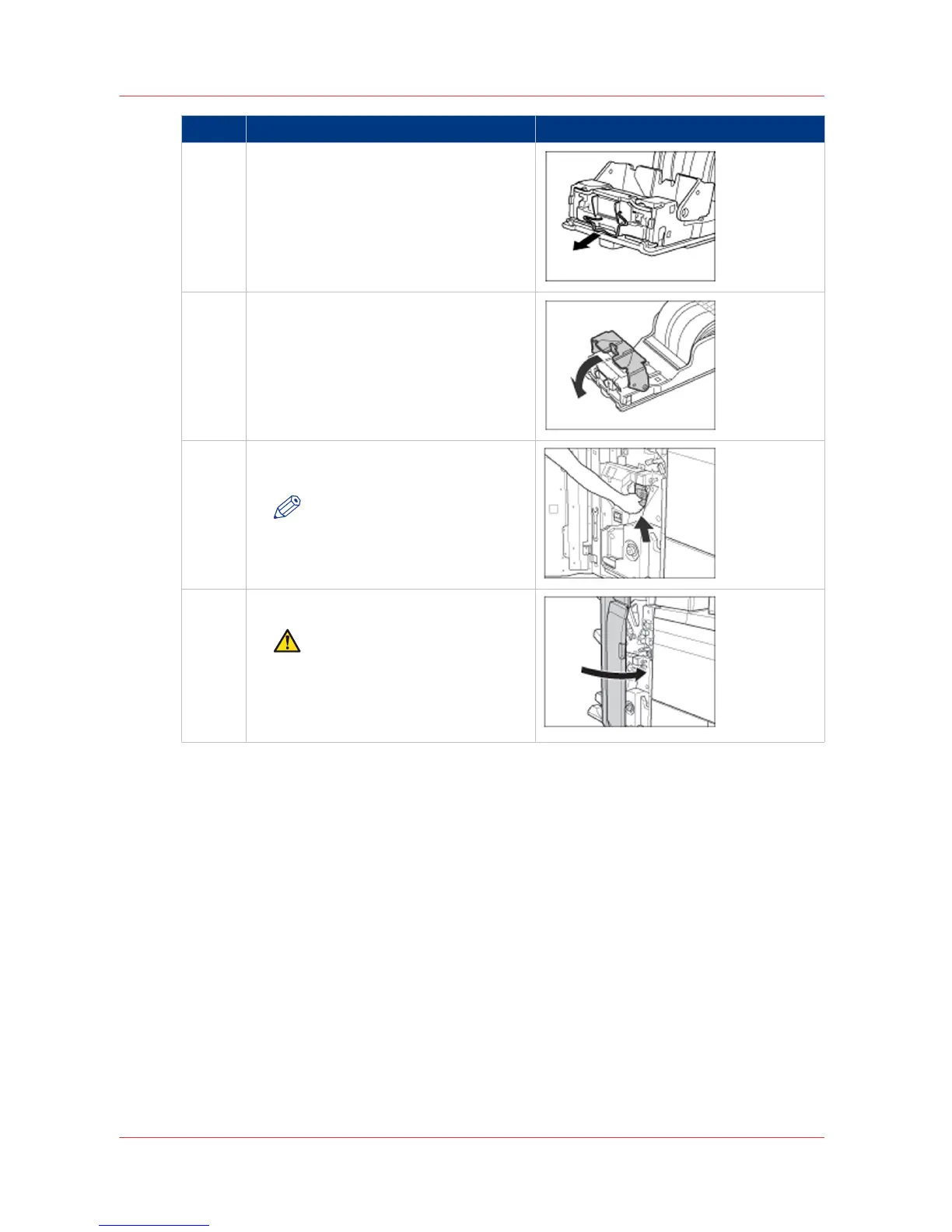
Step Action Illustration
5 Remove all of the jammed and protruding
staples from the staple cartridge.
6 Return the bracket on the staple case to
its original position.
7 Gently push the staple case back into the
stapler unit until it is securely in place.
NOTE
Always make sure to insert the
staple case as far as possible.
8 Close the front door of the stacker/stapler.
CAUTION
When you close the front door
of the stacker/stapler, be care‐
ful not to get your fingers
caught, because this may result
in personal injury.
Clear a staple jam inside the stapler unit
44 Chapter 4 - Troubleshooting
Canon Finisher-AK1/Saddle Finisher-AK2/Puncher Unit-BT1/BU1



 To Next Page