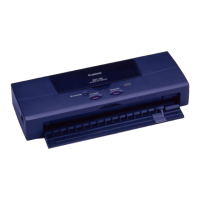
Need help?
Do you have a question about the Canon BJC-4300 Series and is the answer not in the manual?
Provides contact information for Canon customer technical support options.
Information on how to get the printer serviced and warranty details.
Steps required to install the printer driver on your computer.
How to configure printer settings in Windows 95.
Information on choosing the correct paper for best print quality.
Instructions for loading paper into the sheet feeder and manual feed.
Routine maintenance steps to keep the printer clean.
Procedures to clean the printer's print head.
Step-by-step instructions for replacing a BJ cartridge.
How to replace individual ink tanks in the BC-21e cartridge.
Steps to identify and document printer issues before contacting support.
Procedure to safely remove jammed paper from the printer.
 General
| Type | Inkjet Printer |
|---|---|
| Print Technology | Bubble Jet |
| Maximum Resolution | 720 x 360 dpi |
| Connectivity | Parallel |
| Paper Sizes | Letter, Legal, A4, Envelopes |
| Ink Cartridges | BC-20 (Black), BC-21 (Color) |


 To Next Page