EasyManua.ls Logo

Canon BJC-50 - User Manual

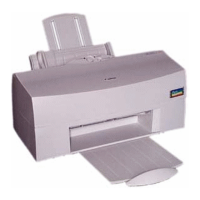
Canon BJC-50
141 pages
Print Icon
To Next Page IconTo Next Page
Loading...
BJC-50
USER’S
MANUAL
Canon

Table of Contents

Other manuals for Canon BJC-50

Question and Answer IconNeed help?

Do you have a question about the Canon BJC-50 and is the answer not in the manual?

Summary

Chapter 1: Introduction and Features

How to Use This Manual

Guidance on navigating and understanding the user manual's content and structure.

Printer Features and Benefits

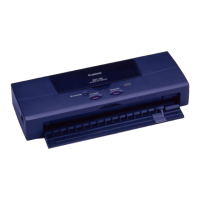
Overview of the BJC-50's capabilities, including portability, print quality, and maintenance.

Options and Supplies

Details on available consumables like ink cartridges and optional accessories for the printer.

Print Media Types

Information on various paper and special media supported for optimal printing results.

Chapter 2: Setting Up the Printer

Selecting a Location for Your Printer

Guidelines for choosing an optimal and safe environment for printer placement.

Printer Components and Controls

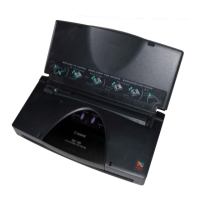
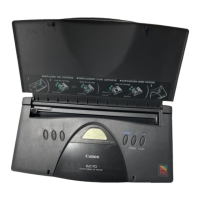
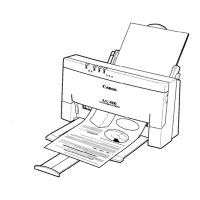
Identification and explanation of the printer's physical parts and operation panel buttons.

Installing Battery and Connecting Printer

Step-by-step instructions for installing the battery pack and connecting the printer to a computer.

Installing BJ Cartridges

Procedure for installing color and black ink cartridges into the printer.

Installing Printer Drivers

Guidance on installing necessary drivers for Windows and DOS applications.

Chapter 3: Paper Handling

Selecting Paper Types

Advice on choosing appropriate paper for various printing tasks and media compatibility.

Loading Paper and Other Media

Instructions for correctly loading single sheets of paper and special media into the printer.

Chapter 4: Performing Test Prints

Starting Test Prints

General procedure for initiating various test prints using the printer's operation panel.

Sample Test Prints Overview

Descriptions of sample test prints like Demonstration, Printer Settings, and Ripple Pattern.

Chapter 5: Printing Operations

Switching Between Color and B&W Printing

How to change between color and black-and-white printing modes.

Changing BJ Cartridges

Detailed steps for replacing ink cartridges for different printing needs.

Color Printing Tips

Guidance on selecting media, understanding software capabilities, and matching colors for optimal output.

Chapter 6: Maintaining the Printer

Battery Pack Maintenance

Procedures for recharging and replacing the printer's battery pack.

Replacing Ink and BJ Cartridges

Instructions on handling and replacing ink and BJ cartridges to maintain print quality.

Cleaning the Printer and Print Head

Steps for cleaning the printer's exterior, interior, and print head to prevent issues.

Chapter 7: Troubleshooting

Error Indicators and Solutions

Explains CHARGE/ERROR lamp messages and associated troubleshooting steps.

Clearing Paper Jams

Step-by-step guide on how to safely remove paper jams from the printer.

Print Quality Issues

Solutions for common print quality problems like streaks, missing dots, and blurred text.

Finding More Help

Information on contacting Canon support for unresolved printer issues.

Appendix A: Paper Specifications

Paper Sizes, Types, and Weight

Comprehensive list of supported paper sizes, types, and weight specifications.

Printing Area Guidelines

Recommended printing areas for various paper types and media to ensure optimal results.

Appendix B: Code Pages and Character Sets

Supported Code Pages

Lists the ten code pages supported by the printer for different languages.

Character Set Details

Explains Character Set 1 and Set 2, and their differences from the All Characters Chart.

Appendix C: Printer Command Summaries

Printer Command Overview

Information on sending printer control commands via software or directly.

Control Code Tables

Reference tables for BJ mode and LQ mode control codes, including ESCape sequences.

Appendix D: Options and Supplies

Consumables Information

Details on ink cartridges, print heads, and batteries available for the printer.

Available Options

Information on optional accessories like sheet feeders and scanner cartridges.

Appendix E: Specifications

Printer Specifications Summary

Technical specifications including print speed, resolution, buffer size, and interfaces.

Appendix F: Interface Specifications

Parallel and IrDA Interface Details

Technical specifications for the parallel and IrDA interfaces used for computer connectivity.

Summary

Chapter 1: Introduction and Features

How to Use This Manual

Guidance on navigating and understanding the user manual's content and structure.

Printer Features and Benefits

Overview of the BJC-50's capabilities, including portability, print quality, and maintenance.

Options and Supplies

Details on available consumables like ink cartridges and optional accessories for the printer.

Print Media Types

Information on various paper and special media supported for optimal printing results.

Chapter 2: Setting Up the Printer

Selecting a Location for Your Printer

Guidelines for choosing an optimal and safe environment for printer placement.

Printer Components and Controls

Identification and explanation of the printer's physical parts and operation panel buttons.

Installing Battery and Connecting Printer

Step-by-step instructions for installing the battery pack and connecting the printer to a computer.

Installing BJ Cartridges

Procedure for installing color and black ink cartridges into the printer.

Installing Printer Drivers

Guidance on installing necessary drivers for Windows and DOS applications.

Chapter 3: Paper Handling

Selecting Paper Types

Advice on choosing appropriate paper for various printing tasks and media compatibility.

Loading Paper and Other Media

Instructions for correctly loading single sheets of paper and special media into the printer.

Chapter 4: Performing Test Prints

Starting Test Prints

General procedure for initiating various test prints using the printer's operation panel.

Sample Test Prints Overview

Descriptions of sample test prints like Demonstration, Printer Settings, and Ripple Pattern.

Chapter 5: Printing Operations

Switching Between Color and B&W Printing

How to change between color and black-and-white printing modes.

Changing BJ Cartridges

Detailed steps for replacing ink cartridges for different printing needs.

Color Printing Tips

Guidance on selecting media, understanding software capabilities, and matching colors for optimal output.

Chapter 6: Maintaining the Printer

Battery Pack Maintenance

Procedures for recharging and replacing the printer's battery pack.

Replacing Ink and BJ Cartridges

Instructions on handling and replacing ink and BJ cartridges to maintain print quality.

Cleaning the Printer and Print Head

Steps for cleaning the printer's exterior, interior, and print head to prevent issues.

Chapter 7: Troubleshooting

Error Indicators and Solutions

Explains CHARGE/ERROR lamp messages and associated troubleshooting steps.

Clearing Paper Jams

Step-by-step guide on how to safely remove paper jams from the printer.

Print Quality Issues

Solutions for common print quality problems like streaks, missing dots, and blurred text.

Finding More Help

Information on contacting Canon support for unresolved printer issues.

Appendix A: Paper Specifications

Paper Sizes, Types, and Weight

Comprehensive list of supported paper sizes, types, and weight specifications.

Printing Area Guidelines

Recommended printing areas for various paper types and media to ensure optimal results.

Appendix B: Code Pages and Character Sets

Supported Code Pages

Lists the ten code pages supported by the printer for different languages.

Character Set Details

Explains Character Set 1 and Set 2, and their differences from the All Characters Chart.

Appendix C: Printer Command Summaries

Printer Command Overview

Information on sending printer control commands via software or directly.

Control Code Tables

Reference tables for BJ mode and LQ mode control codes, including ESCape sequences.

Appendix D: Options and Supplies

Consumables Information

Details on ink cartridges, print heads, and batteries available for the printer.

Available Options

Information on optional accessories like sheet feeders and scanner cartridges.

Appendix E: Specifications

Printer Specifications Summary

Technical specifications including print speed, resolution, buffer size, and interfaces.

Appendix F: Interface Specifications

Parallel and IrDA Interface Details

Technical specifications for the parallel and IrDA interfaces used for computer connectivity.

Canon BJC-50 Specifications

General IconGeneral
BrandCanon
ModelBJC-50
CategoryPrinter
LanguageEnglish

Related product manuals