8
Printing with CP Printers
Printing
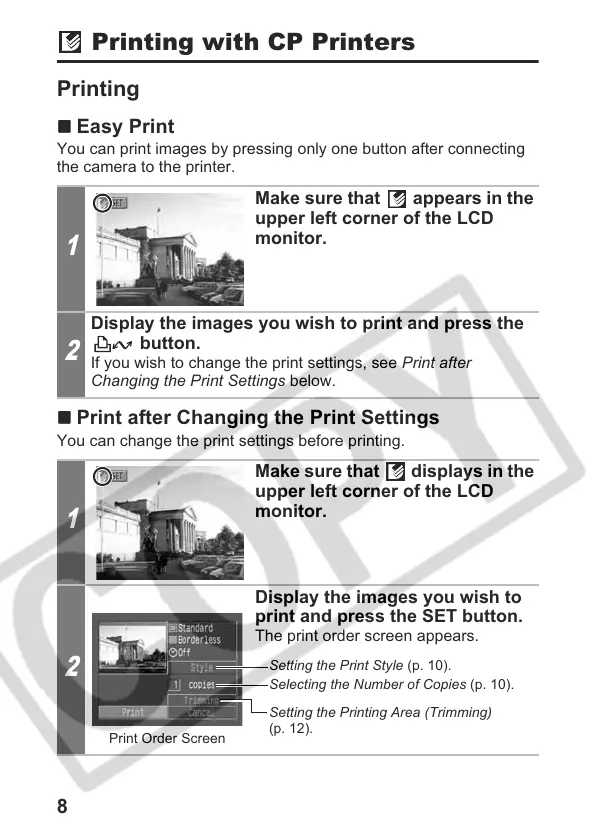
Easy Print
You can print images by pressing only one button after connecting
the camera to the printer.
Print after Changing the Print Settings
You can change the print settings before printing.
1
Make sure that appears in the
upper left corner of the LCD
monitor.
2
Display the images you wish to print and press the
button.
If you wish to change the print settings, see Print after
Changing the Print Settings below.
1
Make sure that displays in the
upper left corner of the LCD
monitor.
2
Display the images you wish to
print and press the SET button.
The print order screen appears.
Print Order Screen
Setting the Print Style (p. 10).
Selecting the Number of Copies (p. 10).
Setting the Printing Area (Trimming)
(p. 12).











 To Next Page