Attaching and Removing
Attaching the Microphone to the Camera
Attaching the Wind Screen to the Microphone
Removing the Microphone from the Camera
Attaching the Microphone to the Camera
1.
Turn off the camera's power
2.
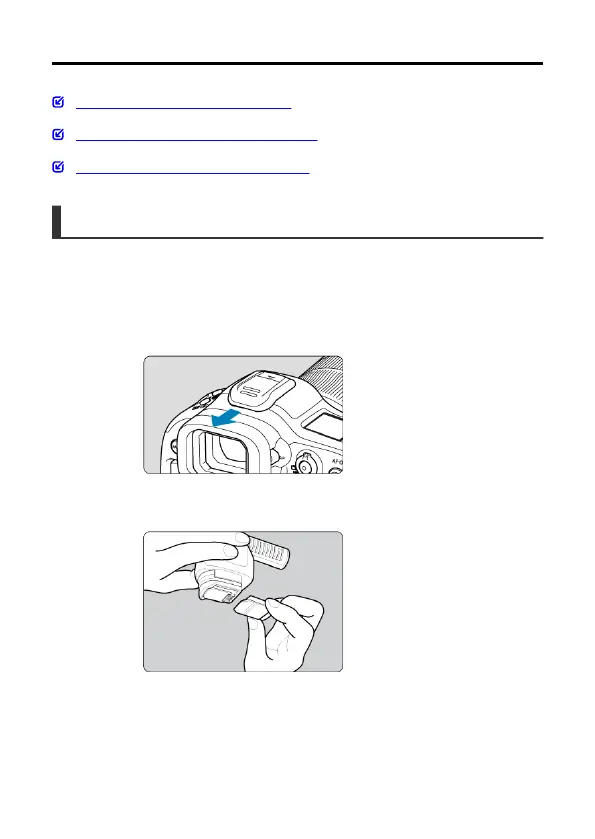
Remove the shoe cover from the accessory shoe on the camera
3.
Remove the cover from the microphone
8


 To Next Page