229
QuickReference(English/
中
文
)
QuickReference
Use the Bookmark function
1
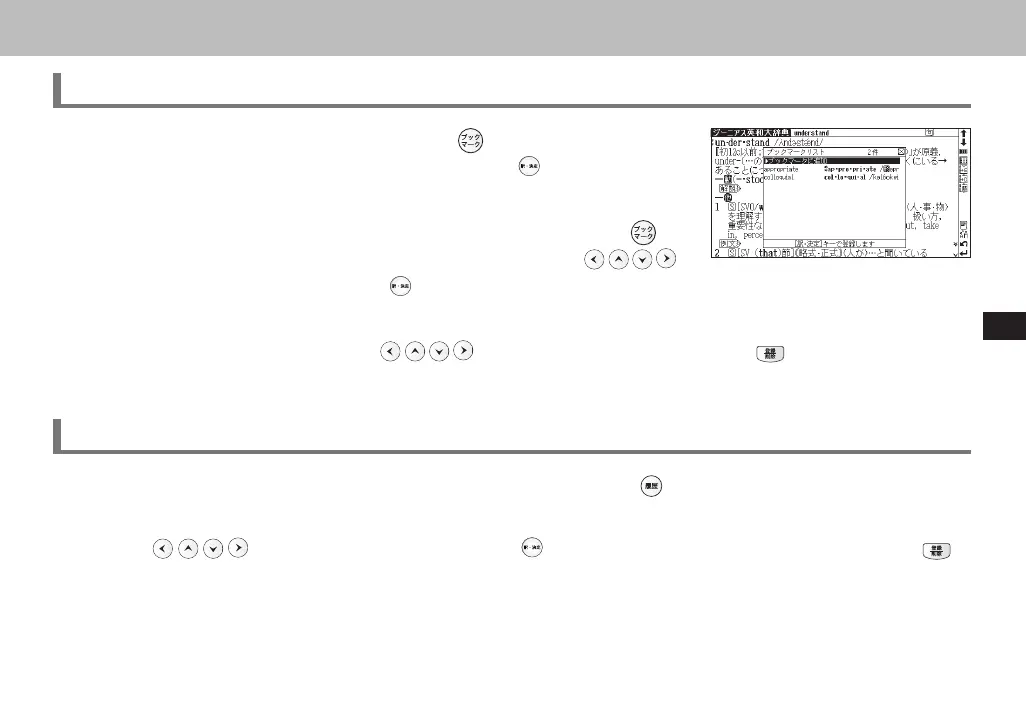
In the main text screen of any dictionary, press and select "ブックマーク
リストに追加 " (Add to Bookmark) option, then press
to add the current
headword to the Bookmark.
2
In the initial search screen and main text screen of any dictionary, press to
display the Bookmark headword list (for the current dictionary). Use
to select a headword listed, then press to display the main text screen for the
word.
3
In the Bookmark headword list, Use to select a headword listed, then press to remove the headword.
Use the History function
1
In the initial search screen and main text screen of any dictionary, press to display the History of headwords previ-
ously searched in the current dictionary.
2
Use to select any headword listed, press to display the main text screen for the word. Press to
remove the word from History.
3
If the main text screen is accessed by the History function, the previous and next headwords key will correspond to the
headwords in the History list, instead of the headwords order in the original dictionary.
CSH06H206-P227-233 06.8.17, 4:40 PMPage 229 AdobePageMaker6.5J/PPC



 To Next Page