EasyManua.ls Logo

Canon ELPH 2 - Film Cartridge Processing; Handling Film Cartridges After Exposure

Canon ELPH 2
53 pages
Print Icon
To Next Page IconTo Next Page
To Previous Page IconTo Previous Page
Loading...
Removing
the
Film
Cartridge
Film
Cartridge
Processing
Exposed
film
cartridges
can
be
processed
for
printing
at
Advanced
Photo
System
certified
shops.
All
certified
shops
do
the
following:
®
Return
your
cartridge
with
the
film
inside.
(D
Process
all
three
types
of
prints.
CD
Make
an
index
print
sheet.
®
Use
the
print
quality
data
for
better
quality
prints.
©
Imprint
the
date
and
title
on
the
back
of
the
print.
Handling
Film
Cartridges
After
Exposure
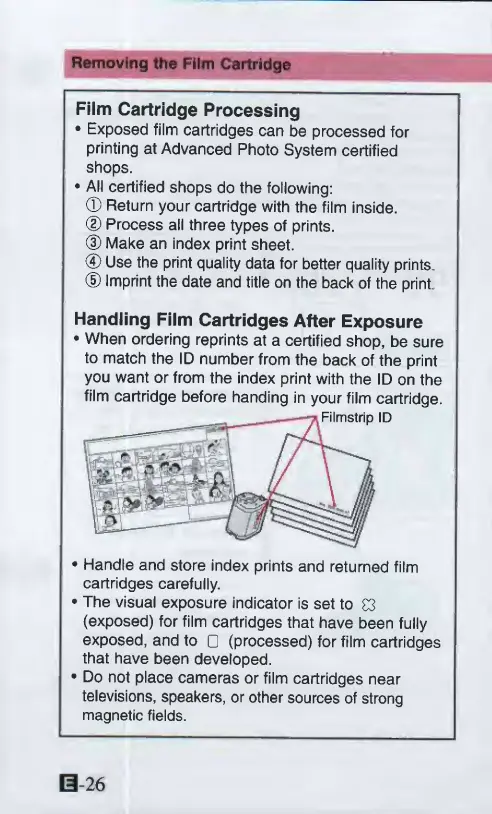
When
ordering
reprints
at
a
certified
shop,
be
sure
to
match
the
ID
number
from
the
back
of
the
print
you
want
or
from
the
index
print
with
the
ID
on
the
film
cartridge
before
handing
in
your
film
cartridge.
Handle
and
store
index
prints
and
returned
film
cartridges
carefully.
The
visual
exposure
indicator
is
set
to
03
(exposed)
for
film
cartridges
that
have
been
fully
exposed,
and
to
(processed)
for
film
cartridges
that
have
been
developed.
Do
not
place
cameras
or
film
cartridges
near
televisions,
speakers,
or
other
sources
of
strong
magnetic
fields.

Other manuals for Canon ELPH 2

Related product manuals