EasyManua.ls Logo

Canon ELPH 2 - Page 41

Canon ELPH 2
53 pages
Print Icon
To Next Page IconTo Next Page
To Previous Page IconTo Previous Page
Loading...
99
5
2D
f^o]
_
cj
j?
<sfV
=
&
J/
^
1
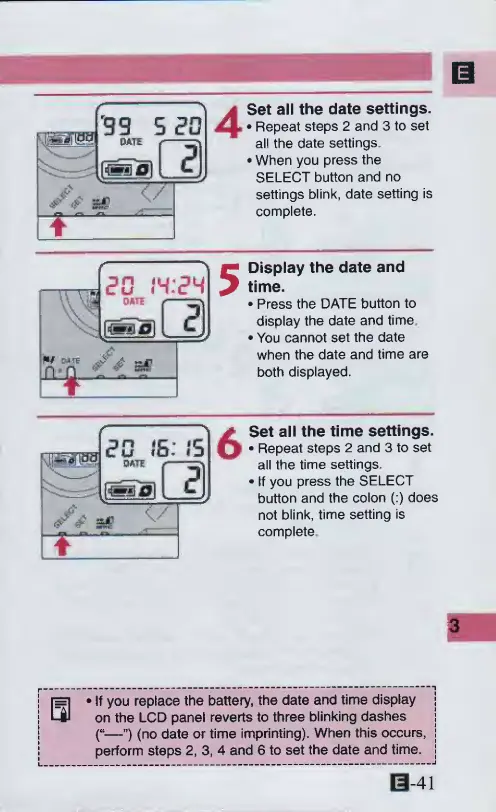
Set
all
the
date
settings.
Repeat
steps
2
and
3
to
set
all
the
date
settings.
When
you
press
the
SELECT
button
and
no
settings
blink,
date
setting
is
complete.
20
19:24
rvn
i
Display
the
date
and
time.
Press
the
DATE
button
to
display
the
date
and
time
You
cannot
set
the
date
when
the
date
and
time
are
both
displayed.
6
Set
all
the
time
settings.
Repeat
steps
2
and
3
to
set
all
the
time
settings.
If
you
press
the
SELECT
button
and
the
colon
(:)
does
not
blink,
time
setting
is
complete
j
[=]
If
you
replace
the
battery,
the
date
and
time
display
j
!
on
the
LCD
panel
reverts
to
three
blinking
dashes
j
i
C
—”)
(no
date
or
time
imprinting).
When
this
occurs,
j
|
perform
steps
2,
3,
4
and
6
to
set
the
date
and
time,
j
0-41

Other manuals for Canon ELPH 2

Related product manuals