EasyManua.ls Logo

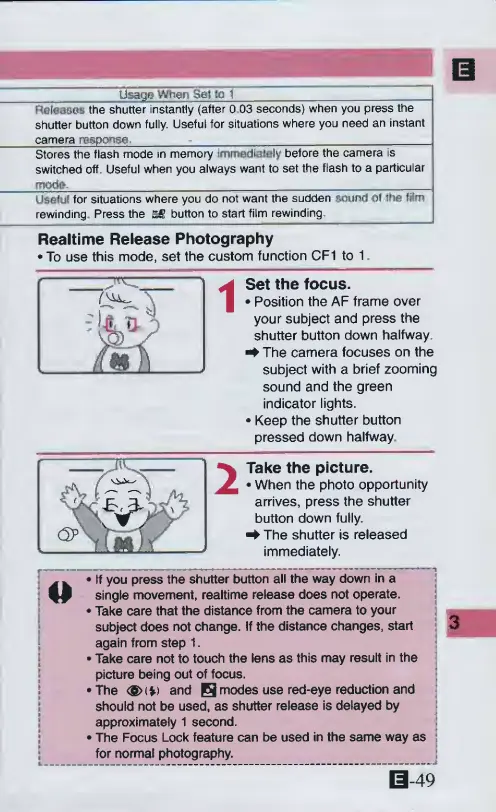
Canon ELPH 2 - Usage When Set to 1; Realtime Release Photography

Canon ELPH 2
53 pages
Print Icon
To Next Page IconTo Next Page
To Previous Page IconTo Previous Page
Loading...
Usage
Whan
Sel
to
1
FteteBSps
the
shutter
instantly
(after
0
03
seconds)
when
you
press
the
shutter
button
down
fully.
Useful
for
situations
where
you
need
an
instant
camera
response.
.
_.
...
Stores
the
flash
mode
in
memory
immediately
before
the
camera
is
switched
off
Useful
when
you
always
want
to
set
the
flash
to
a
particular
mode.
___
Useful
for
situations
where
you
do
not
want
the
sudden
sound
01
the
film
rewinding
Press
the
SS
button
to
start
film
rewinding
Realtime
Release
Photography
*
To
use
this
mode,
set
the
custom
function
CF1
to
1
Set
the
focus.
Position
the
AF
frame
over
your
subject
and
press
the
shutter
button
down
halfway
f
The
camera
focuses
on
the
subject
with
a
brief
zooming
sound
and
the
green
indicator
lights.
Keep
the
shutter
button
pressed
down
halfway
Take
the
picture.
When
the
photo
opportunity
arrives,
press
the
shutter
button
down
fully.
^
The
shutter
is
released
immediately.
If
you
press
the
shutter
button
all
the
way
down
in
a
D
single
movement,
realtime
release
does
not
operate.
Take
care
that
the
distance
from
the
camera
to
your
subject
does
not
change.
If
the
distance
changes,
start
again
from
step
1.
Take
care
not
to
touch
the
lens
as
this
may
result
in
the
picture
being
out
of
focus.
The
<^(*)
and
B
modes
use
red-eye
reduction
and
should
not
be
used,
as
shutter
release
is
delayed
by
approximately
1
second.
The
Focus
Lock
feature
can
be
used
in
the
same
way
as
for
normal
photography.
0-49

Other manuals for Canon ELPH 2

Related product manuals