EasyManua.ls Logo

Canon EOS 5000 - Page 29

Canon EOS 5000
33 pages
Print Icon
To Next Page IconTo Next Page
To Previous Page IconTo Previous Page
Loading...
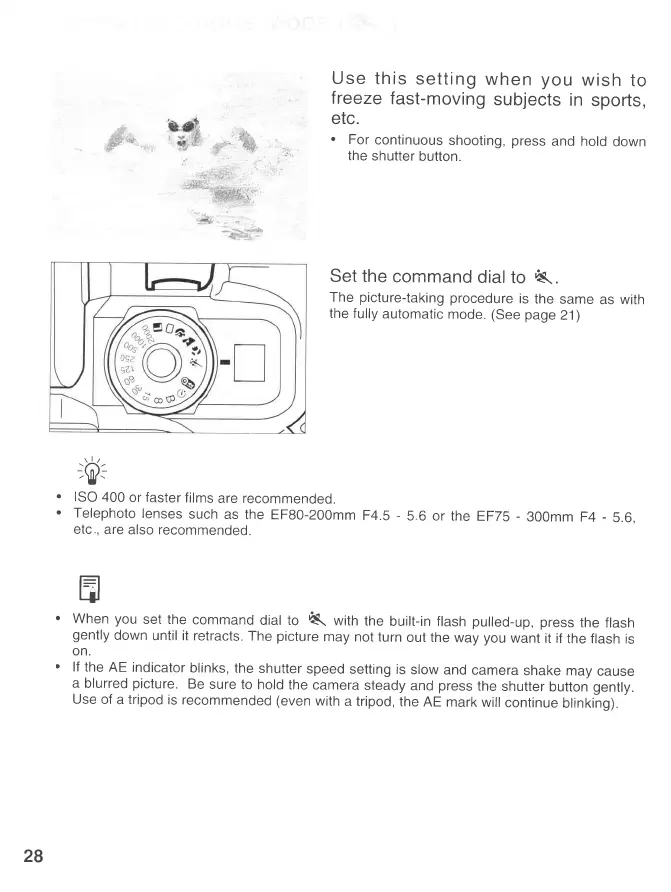
Use
this
setting
when
you
wish
to
freeze
fast-moving
subjects
in
sports,
etc.
.
For
continuous
shooting,
press
and hold
down
the
shutter
button.
Set the
command
dial
to
Kt.
The
picture-taking
procedure
is
the
same
as with
the fully
automatic
mode.
(See page
21)
-X-
;vr
.
ISO
400
or
faster
films
are recommended.
'
Telephoto
lenses
such
as the
EF80-20Omm
F4.5
-
5
6 or the
EFTS
-
300mm
F4
-
5.6,
etc
,
are also recommended.
t=
qr
'
When
you
set the
command
dial to
K
with
the
built-in flash
pulled-up,
press
the flash
gently
down
until it
retracts.
The
picture
may
not turn
out the
way
you
want
it if
the flash
is
on.
'
lf
the
AE indicator
blinks,
the
shutter
speed
setting
is
slow
and
camera
shake
may
cause
a
blurred
picture.
Be
sure
to hold
the
camera
steady
and
press
the
shutter
button
gen1y.
Use
of
a tripod
is recommended
(even
with
a tripod,
the
AE
mark
will
continue
blinking)
-
28