-)$ AE Lock*
Use AE lock when the area of focus is to be different from the exposure
metering area or when you want to take multiple shots at the same exposure
setting. Pressthe <%> button to lock the exposure, then recompose and take
the shot. This is called AE lock. It is effective for backlit subjects.
2
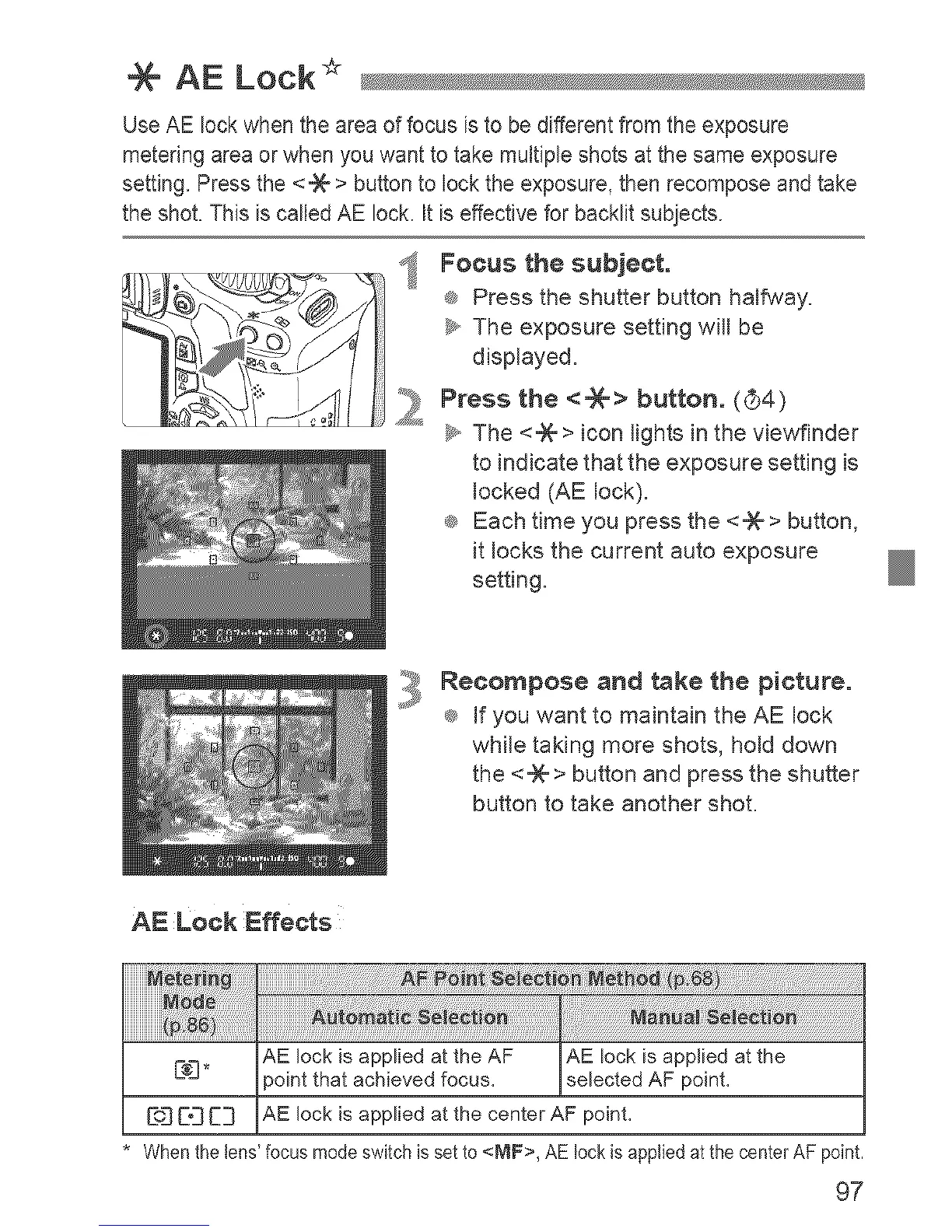
Focus the subject.
_ Press the shutter button halfway.
_y,,The exposure setting will be
displayed.
Press the <-)6> button. (G4)
_y,,The <%> icon lights in the viewfinder
to indicate that the exposure setting is
locked (AE lock).
_ Each time you press the <%> button,
it locks the current auto exposure
setting.
Recompose and take the picture.
_ If you want to maintain the AE lock
while taking more shots, hold down
the <-_ > button and press the shutter
button to take another shot.
AE Lock Effects
iiiiiiiiiiiiiiiiiiiiiiiiiiiiiiiiiiiiiiiiiiiiiiii_i_i_i_i!_i_!_i_ii_i_:i_:i_:i_:i_:i_:i_:i_:i_:i_:i_:i_:i_:i_:i_:i_:i_:i_:i_:i_:i_:_:i_i
AE lock isapplied at the AF AE lock is applied at the
C:_3" point that achievedfocus, selected AF poinL
[:oJ[[_ C:] AE lock isapplied atthe center AF poinL
Whenthetens'focusmodeswitchissetto<MF>, AElockisappliedatthecenterAFpoint.
97












 To Next Page