IVIULTIPLE
EXPOSURES
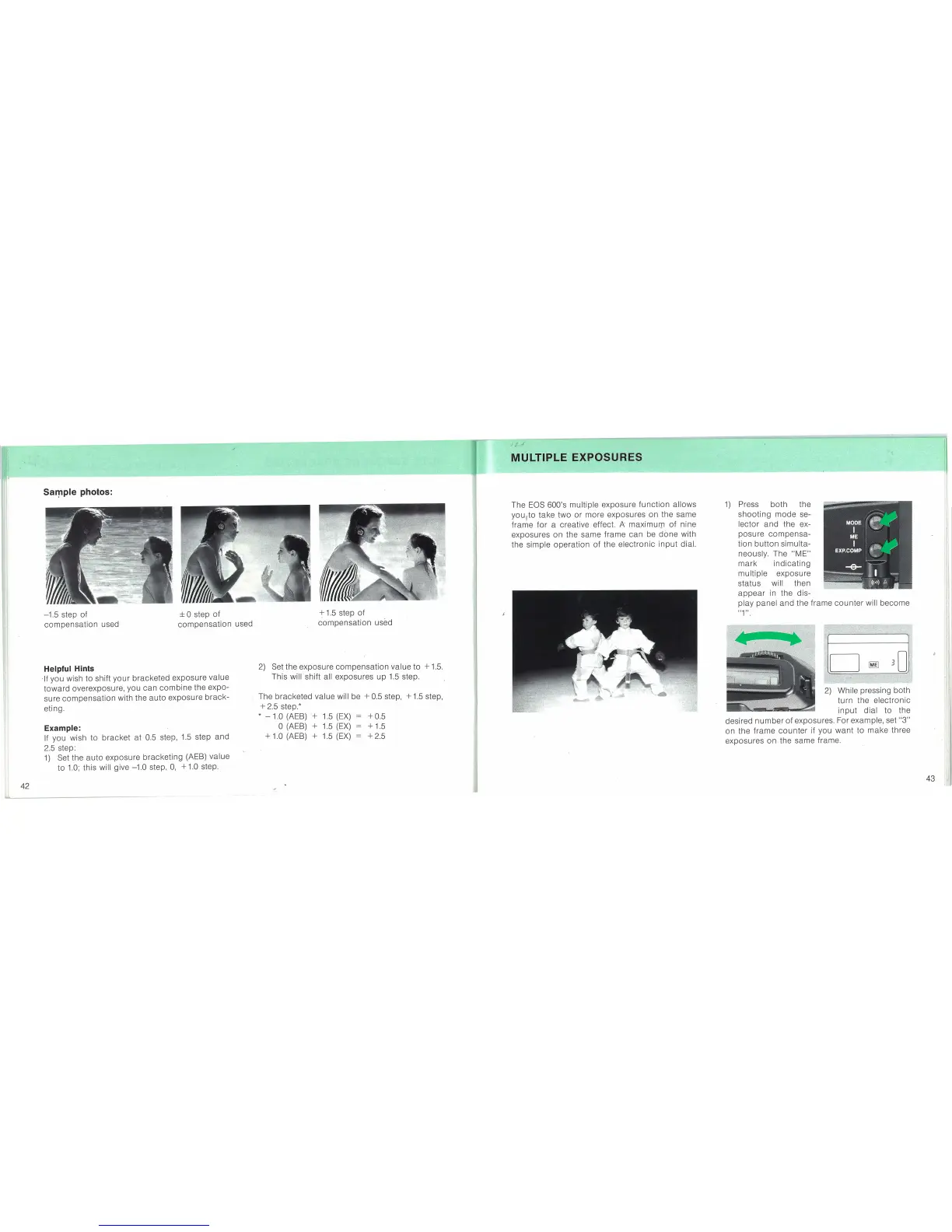
Sal'!lple photos:
43
"\
2)
While pressing both
turn the electronic
input
dial
to
the
desired
number
of
exposures. For example, set
"3"
on the frame
counter
if you
want
to
make
three
exposures on· the same frame.
1)
Press
both
the
shooting
mode
se-
lector
and
the ex-
posure
compensa-
tion
button
simulta-
neously. The
"ME"
mark
indicating
multiple exposure
status will then
appear
in the dis-
play
panel
and
the frame
counter
will
become
"1",
The
EOS
600's multiple exposure
function
allows
youfto
take two
or
more exposures on the same
frame
for
a creative effect.
A'
maximuQl
of
nine
exposures on the same frame
can
be
done
with
the simple
operation
of
the electronic
input
dial.
+0.5
+ 1.5
+2.5
+
1.5
step of
compensation
used
2)
Set the exposure
compensation
value
to
+
1.5.
This will' shift all exposures
up
1.5
step.
The bracketed value will be
+ 0.5 step, +
1.5
step,
+ 2.5 step.*
*
-1.0
(AEB)
'+
1.5
(EX)
o(AEB) + 1.5
(EX)
+ 1.0 (AEB) + 1.5
(EX)
± 0 step
of
compensation
used
-1.5 step
of
compensation
used
Example:
If
you wish to
bracket
at 0.5 step,
1.5
step
and
2.5 step:
1)
Set the
auto
exposure
bracketing
(AEB) value
to
1.0;
this will give -1.0 step,
0,
+
1.0
step.
Helpful Hints
,If you wish
to
shift
your
bracketed exposure value
toward
overexposure, you
can
combine
the expo-
sure
compensation
with the
auto
exposure
brack-
eting.
42


 To Next Page