EasyManua.ls Logo

Canon EOS 600 - Holding the Camera; AF Focusing

Canon EOS 600
35 pages
Print Icon
To Next Page IconTo Next Page
To Previous Page IconTo Previous Page
Loading...
HOLDING THE
CAMERA
AF FOCUSING
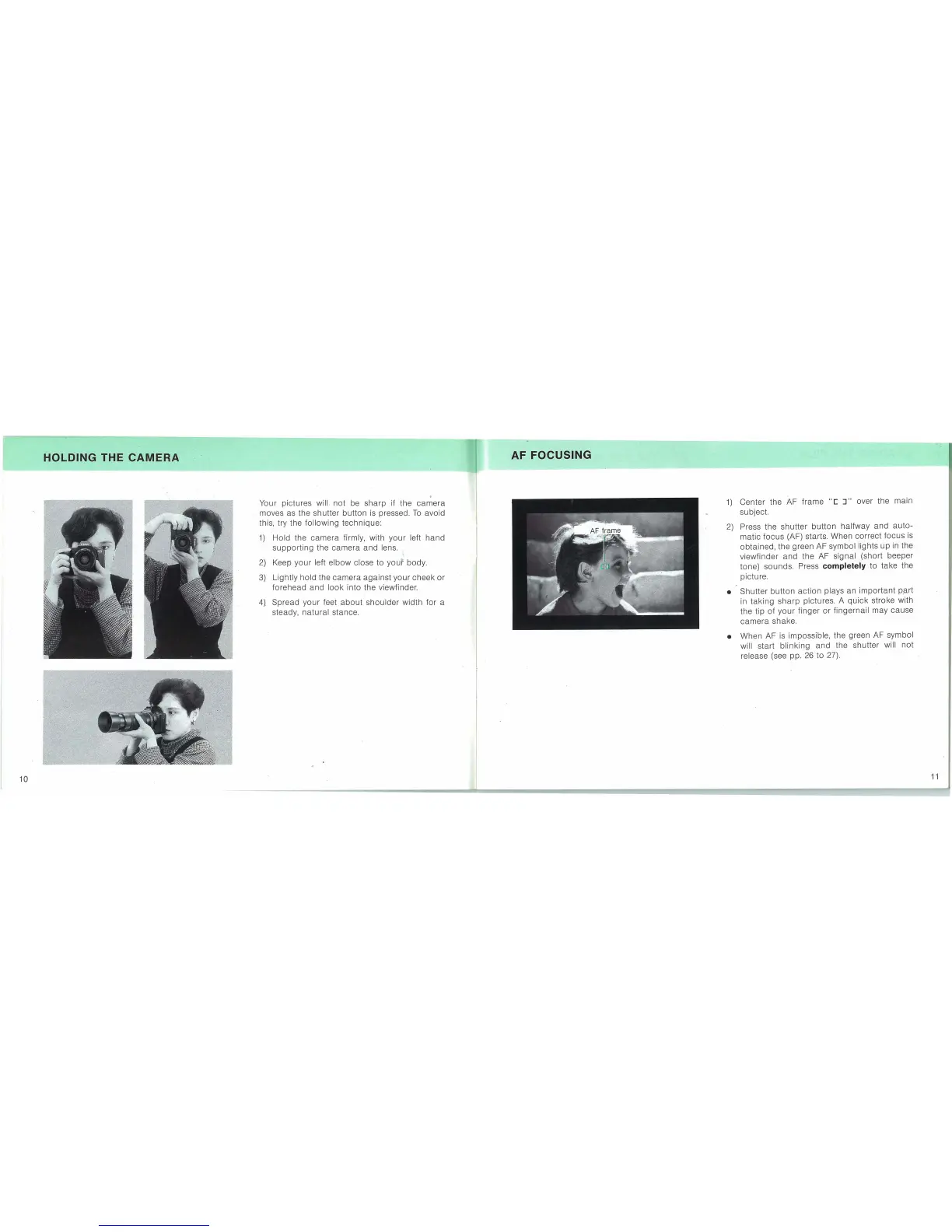
Your pictures will
not
be
sharp
if the
camera
moves as the
shutter
button
is
pressed.
To
avoid
this, try the
following
technique:
1)
Hold the
camera
firmly, with
your
left
hand
supporting
the
camera
and
lens.
2)
Keef!5
your
left
elbow
close
to
your
body.
3)
Lightly
hold
the
camera
against
your
cheek
or
forehead
and
look
into the viewfinder.
4).
Spread
your
feet
about
shoulder
width
for
a
steady,
natural
stance.
1)
Center the AF frame
"[
J"
over the main
subject.
2)
Press the
shutter
button
halfway
and
auto-
matOic
focus
(AF) starts. When
correct
focus
is
obtained,
the green AF symbol lights up in the
viewfinder
and
the AF signal (short beeper
tone) sounds. Press
completely to take the
picture.
• Shutter
button
action
plays an
important
p,art
in
taking
sharp
pictures. A
quick
stroke with
the tip
of
your
finger
or
fingernail may
cause
camera
shake.
• When AF
is
impossible, the green AF symbol
will start
blinking
and
the shutter will
not
release (see pp. 26 to 27).
10
11