1
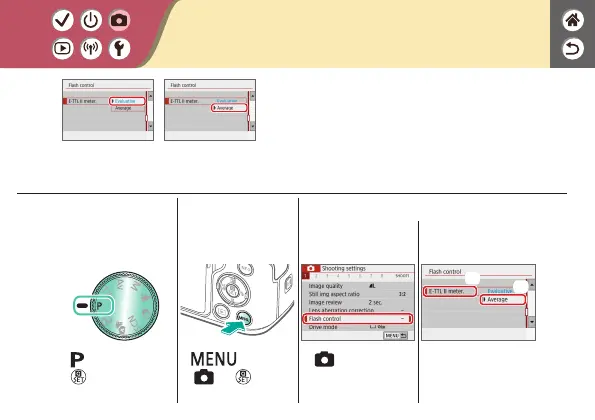
Set the shooting
mode
z
mode →
button
2
Access the menu
screen
z
button →
[
] → button
3
Set up the camera
z
[ 1] →
[Flash control]
(1)
(2)
z
[E-TTL II meter.] →
[Average]
Changing the Flash Metering Mode
Evaluative Average
[Evaluative] ash metering, which enables
standard ash exposure, can be changed to
average ash metering across the metering
area, as when using an externally metered ash.






 To Next Page