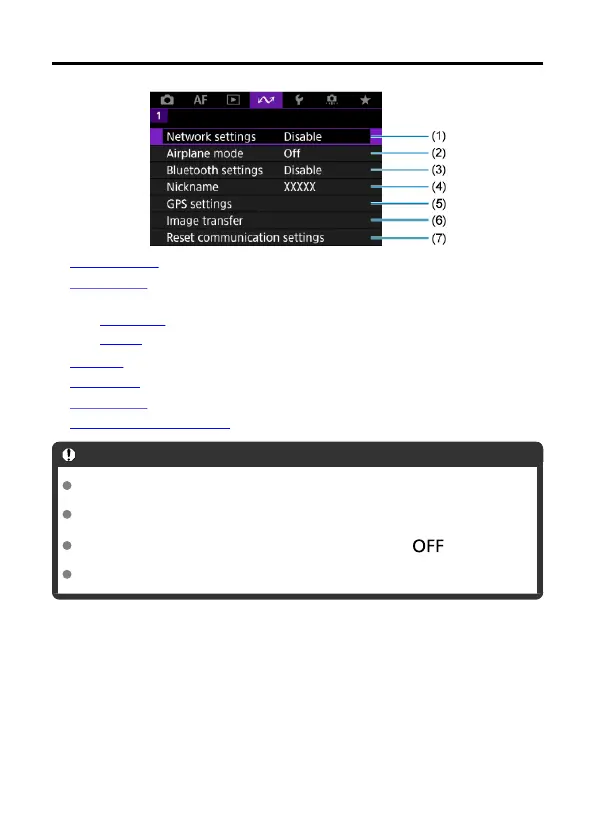
Tab Menus: Communication Functions Tab
(1) Network settings
(2) Airplane mode
(3)
Bluetooth settings
•
Smartphone
• Remote
(4) Nickname
(5) GPS settings
(6) Image transfer
(7) Reset communication settings
Caution
Wi-Fi connections are not possible while the camera is connected to a computer or
other device via an interface cable.
Other devices, such as computers, cannot be used with the camera by connecting
them with an interface cable while the camera is connected to devices via Wi-Fi.
Network connections are terminated if you switch camera to < > or open the
card slot cover.
Auto power off is not activated while connected to a network.
596



 To Next Page