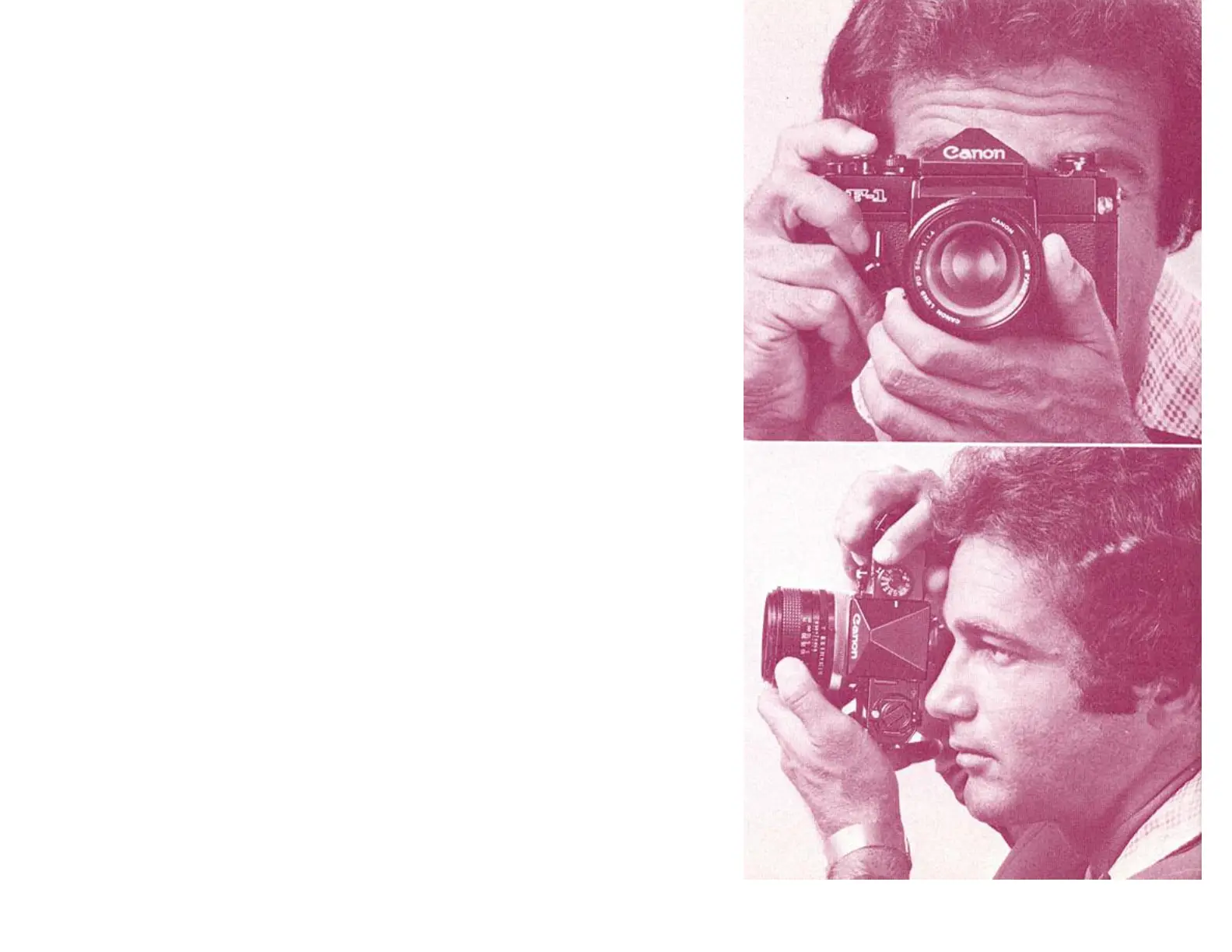
Holding the Camera
Holding the CameraHolding the Camera
Holding the Camera
Hold the camera firmly to take a clear picture. Hold the
camera either in a vertical or horizontal position, look
through the viewfinder, and focus. Then press the
shutter release button gently. The following techniques
are important to remember:
Hold the camera snugly in both hands. The camera
should be pressed firmly to your cheek or forehead.
When the camera is in a horizontal position, both
elbows should be firmly pressed against the body. At
least one elbow should be resting against the body when
the camera is in a vertical position.
Hold your breath and press the shutter release button
with a smooth, steady stroke. Otherwise, you will
have a blurred picture.
It is best to use a tripod and cable release when using
slow shutter speeds.
When taking pictures against the light, always use a
lens hood.
Free Download at http://www.joe






 To Next Page