Preparations
22
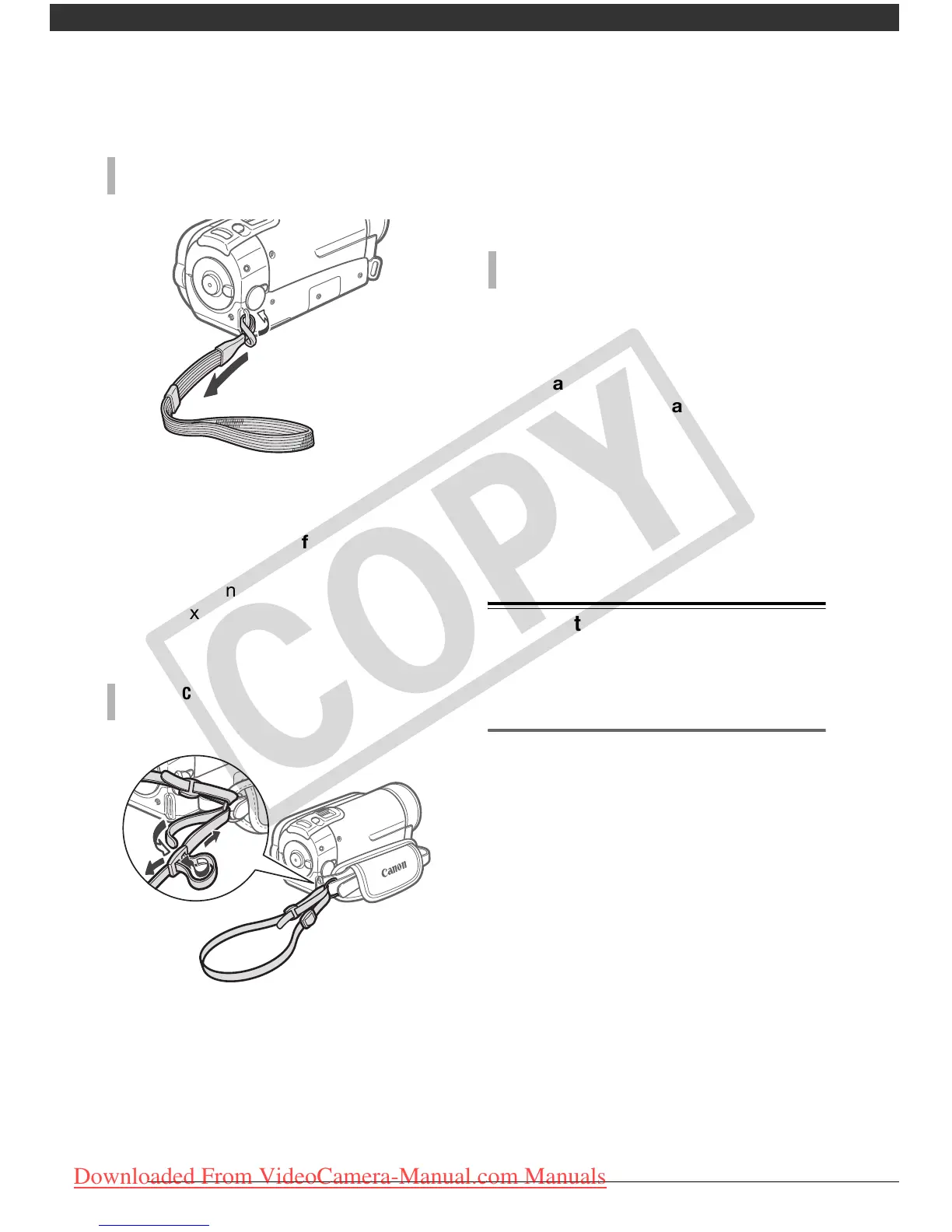
Pass the attaching end of the wrist
strap through the back bracket on
the camcorder, thread the wrist strap
through the loop and fasten.
You can also attach the wrist strap to
the strap mount on the grip belt to use
both for extra convenience and
protection.
Pass the ends of the shoulder strap
through the strap mount on the grip
belt and adjust the length of the
strap.
You can also remove the grip belt and
attach the shoulder strap directly to the
rear bracket on the camcorder.
1 Pass the end of the strap through
the rear bracket on the
camcorder.
2 Thread the strap through the
padded handgrip and then pass it
through the front bracket on the
camcorder.
3 Fasten the grip belt as necessary,
attach the strap to the Velcro pad
on the handgrip and close the flap.
Adjusting the Position and Brightness
of the LCD Screen
Rotating the LCD Panel
Open the LCD panel 90 degrees.
• You can rotate the panel 90 degrees
downward.
• You can rotate the panel 180 degrees
toward the lens. Rotating the LCD
panel 180 degrees can be useful in
the following cases:
- When you wish to include yourself in
the picture when recording with the
self timer.
TO ATTACH A WRIST STRAP
TO ATTACH A SHOULDER STRAP
TO REATTACH THE GRIP BELT
COPY
Downloaded From VideoCamera-Manual.com Manuals



 To Next Page