EasyManua.ls Logo

Canon Image Runner Advance - Page 4

Canon Image Runner Advance
26 pages
Print Icon
To Next Page IconTo Next Page
To Previous Page IconTo Previous Page
Loading...
Copy – Basic Features
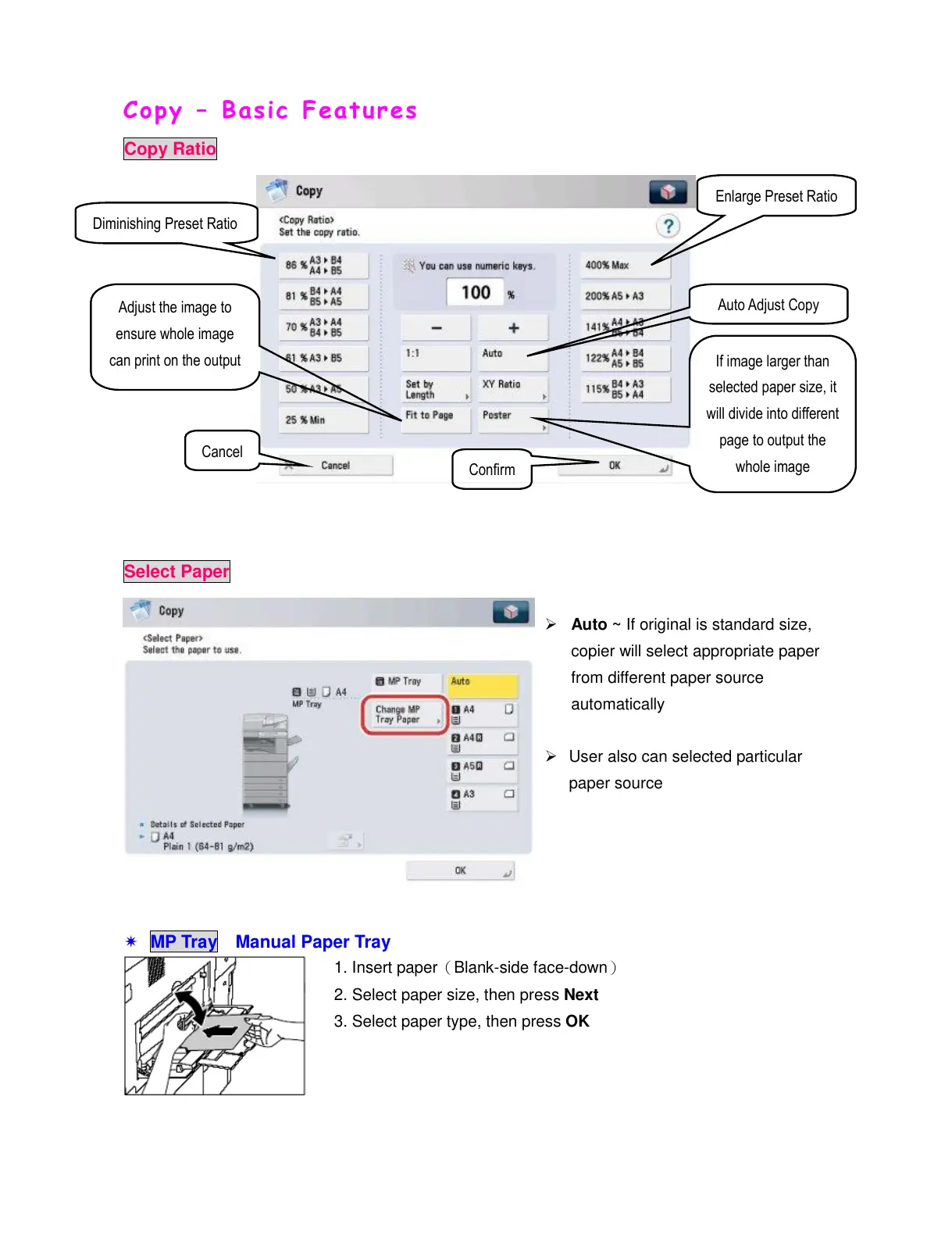
Copy Ratio
Select Paper
Auto ~ If original is standard size,
copier will select appropriate paper
from different paper source
automatically
User also can selected particular
paper source
MP Tray Manual Paper Tray
1. Insert paper(Blank-side face-down)
2. Select paper size, then press Next
3. Select paper type, then press OK

Adjust the image to
ensure whole image
can print on the output
Diminishing Preset Ratio
Enlarge Preset Ratio
If image larger than
selected paper size, it
will divide into different
page to output the
whole image
Confirm
Cancel
All manuals and user guides at all-guides.com